 Tim Ross
There is no SilentSuite app for macOS. What there is instead is a local command-line Bridge that decrypts your Etebase data on the Mac and hands ordinary CalDAV and CardDAV to Apple's own apps. Apple Calendar has positive real-Mac sync evidence, Apple Contacts has passed account creation and existing-contact visibility but not the complete acceptance matrix, and tasks should be used in the SilentSuite web app rather than Apple Reminders.
The Bridge downloads encrypted Etebase data, decrypts it on your Mac, and presents authenticated CalDAV and CardDAV to Apple apps over trusted localhost HTTPS. There is no native SilentSuite Mac app. The support status reflects product, implementation, Apple documentation, and real-Mac evidence reviewed through August 2026. Check the current release notes and linked acceptance issue because packaging and client behavior can change.
The Bridge serves CalDAV and CardDAV over trusted localhost HTTPS on port 37358, so the decrypted DAV connection stays on the Mac. Apple Calendar is the verified path, with positive real-Mac bidirectional sync evidence. Apple Contacts gets far enough to add an account and see existing contacts, but full create, edit, and delete acceptance is still open. Apple Reminders is not a verified task path, so keep tasks in the SilentSuite web app.
What is the supported SilentSuite setup on macOS?
Use the Bridge for Apple Calendar and, with additional verification, Apple Contacts. Use the SilentSuite web app for tasks. A protocol implemented by the Bridge is not automatically a feature accepted in every Apple client. The support boundary below distinguishes working evidence from protocol capability. Keeping your data in Apple's own apps rather than one vendor app is the system-integration side of the encrypted-PIM trade-off.
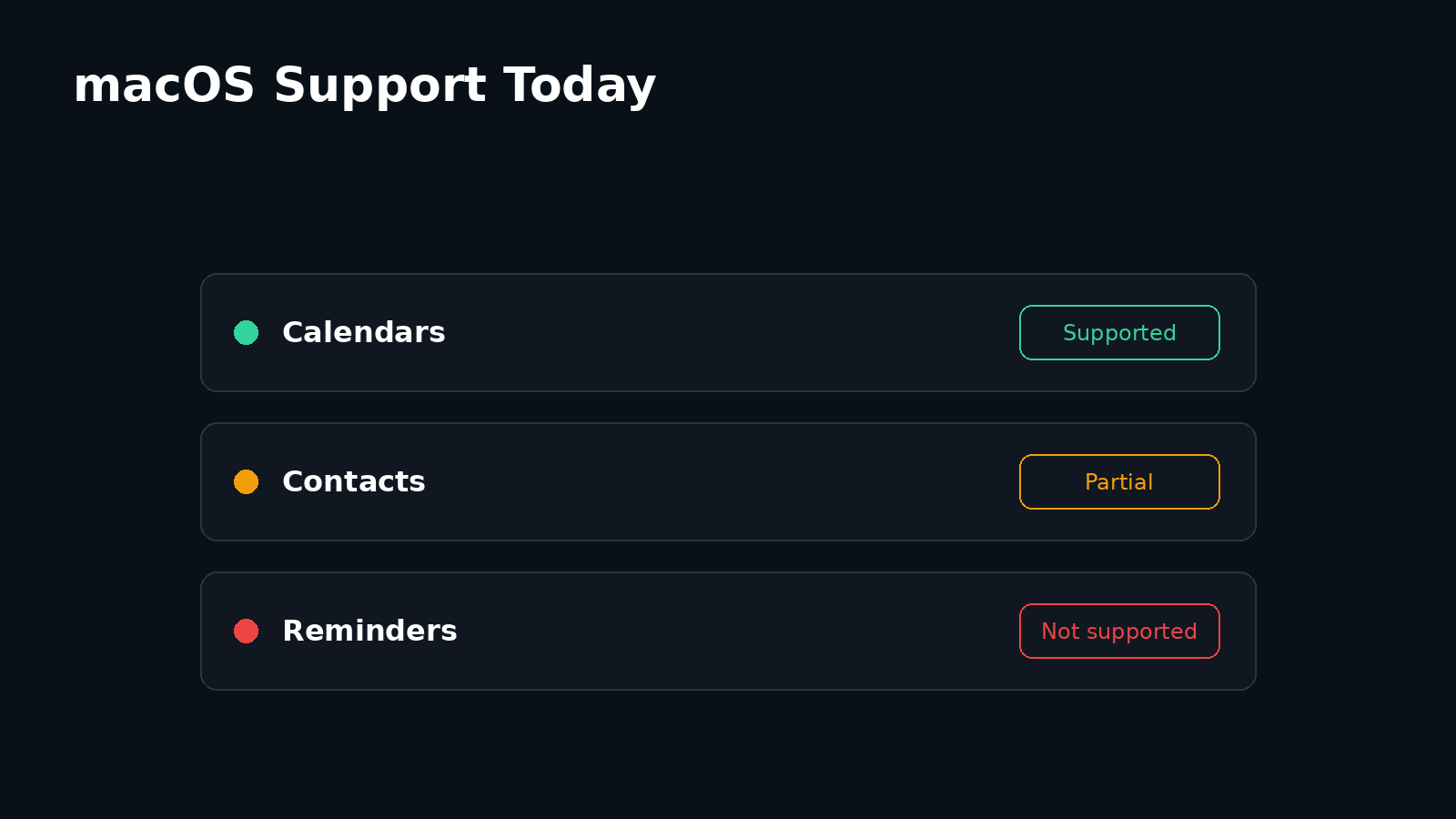
| Data | macOS surface | Current evidence |
|---|---|---|
| Calendars | Apple Calendar via local CalDAV | Supported, with positive real-Mac bidirectional sync evidence |
| Contacts | Apple Contacts via local CardDAV | Partial, account add and existing-contact visibility passed; full CRUD acceptance remains open |
| Tasks | SilentSuite web app | Supported product surface |
| Tasks | Apple Reminders via VTODO | Not verified or documented as supported |
How do you install the SilentSuite Bridge on a Mac?
Open the latest SilentSuite release and read its notes before downloading. Run uname -m in Terminal: arm64 means Apple Silicon and x86_64means Intel. Download the matching macOS Bridge binary and its published SHA-256 checksum file. Verify the download before making it executable:
shasum -a 256 -c <downloaded-checksum-file>
mkdir -p "$HOME/.local/bin"
mv <downloaded-bridge-file> "$HOME/.local/bin/silentsuite-bridge"
chmod +x "$HOME/.local/bin/silentsuite-bridge"
Replace the angle-bracketed names with the files from the same release. At the research cutoff, the distributed files were unsigned, unnotarized PyInstaller command-line binaries, not an app bundle, DMG, or pkg. Check the current release for changed packaging or signing. Do not treat a Gatekeeper override as proof that a file is authentic, and do not bypass Gatekeeper before checksum verification. If the source and checksum match and macOS then blocks the first launch because the developer cannot be verified, follow Apple's guide to safely opening apps and use Open Anyway in Privacy & Security only if that option is offered. Do not use it to dismiss a malware or damaged-file warning.
The commands below use the full path because ~/.local/bin may not be on your shell's PATH. Start the Bridge with ~/.local/bin/silentsuite-bridge, then open http://localhost:37358/.web/ and sign in. If the dashboard login clears without showing success, the recorded fallback is ~/.local/bin/silentsuite-bridge --login. Autostart can be installed with ~/.local/bin/silentsuite-bridge --install-autostart. If startup reports that port 37358 is already in use, check whether a login-started Bridge is already running rather than launching repeated copies.
Why does Apple Calendar need trusted localhost HTTPS?
Run ~/.local/bin/silentsuite-bridge --setup-macos-apple-accounts. The setup creates or reuses a self-signed certificate for localhost, saves the HTTPS configuration, and opens the certificate for Keychain setup. In Keychain Access, open the certificate, expand Trust, set Secure Sockets Layer (SSL) to Always Trust, restart the Bridge, and confirm that https://localhost:37358/ loads without a certificate warning.
HTTPS mode applies to the whole Bridge profile. Once enabled, every local DAV client on that listener must use HTTPS and trust the same certificate. The Bridge does not keep a parallel HTTP listener or redirect HTTP to HTTPS. The certificate is for localhost, not for a Tailscale IP or MagicDNS hostname.
Local HTTPS protects the DAV hop and credentials on the Mac. Etebase client-side encryption protects the remote hop and stored content.
Local HTTPS does not make the CalDAV or CardDAV representation end-to-end encrypted. The Bridge must make data readable to Apple apps. See how the CalDAV Bridge works for the translation layer and What SilentSuite actually encrypts for the remote boundary.
How do you add SilentSuite to Apple Calendar?
In Calendar, add a CalDAV account and choose the Advancedform. Apple's Calendar account guide documents the manual and advanced fields. Enter:
- User Name: your exact SilentSuite account email
- Password: your SilentSuite account password
- Server Address:
localhost - Server Path:
/<exact-account-email>/ - Port:
37358 - Use SSL: enabled
A first anonymous discovery request receiving 401 Unauthorizedis normal. Apple retries with HTTP Basic authentication, and successful DAV discovery commonly returns 207 Multi-Status. The Bridge maps an exact, authenticated Apple principal probe to the account's canonical path while denying cross-account paths. A 207 response proves discovery, not every create, edit, or delete outcome, so complete the checks below.
How do you add a private CardDAV account to Apple Contacts?
First try the Advanced CardDAV form with the same username, password, localhost server, account-specific path, port, and SSL settings. At the research cutoff, Advanced CardDAV did not visibly complete on the recorded test Mac. Manual CardDAV account creation using the full URL did complete, and existing SilentSuite contacts appeared:
https://localhost:37358/<exact-account-email>/Treat that as partial acceptance, not full support. Contact creation, editing, deletion, Bridge restart convergence, and freedom from duplicate or resurrection loops have not all passed a recorded real-Mac matrix. The macOS acceptance issue remained open at the cutoff. Confirm existing-contact visibility, then use disposable records to test both directions before trusting Apple Contacts with your daily address book.
Can SilentSuite tasks sync with Apple Reminders?
Not as a verified supported path today. The Bridge implements Etebase task collections and advertises CalDAV VTODO resources, but protocol support alone does not establish Apple Reminders interoperability. No accepted real-Mac matrix was found for creating, editing, completing, deleting, and reconciling tasks after a restart. Timed VTODO due dates also have an open timezone limitation.
Apple's Reminders account documentation notes that account features depend on what the provider offers. If an Internet Account has no Reminders toggle, it does not expose reminders through that account. Use the SilentSuite web app for tasks on macOS unless a released build and explicit Mac acceptance test establish another path.
Where is plaintext readable on a Mac?
The remote SilentSuite server receives encrypted Etebase content, but the Mac is a trusted endpoint. The Bridge decrypts data locally and keeps a SQLite cache with usable data. Its DAV responses contain readable events and contacts, and Apple Calendar and Contacts maintain local records for their own use. macOS apps with sufficient access, device administrators, malware, and backups are therefore part of the endpoint risk. SilentSuite's threat model sets out which of those attackers encryption stops and which it does not.
FileVault can protect a powered-off Mac, but it is device encryption, not SilentSuite end-to-end encryption. It does not stop authorized or malicious software running in an unlocked session from reading available data. Bridge --logout <email> removes credentials but retains the local cache. To remove credentials and that account's decrypted Bridge cache, use ~/.local/bin/silentsuite-bridge --remove-account <email>. If it reports that cache cleanup is deferred until the active sync exits, the decrypted cache is not gone yet, so confirm that cleanup has completed before treating it as removed. Also remove the corresponding Apple Internet Accounts and assess local backups if the goal is to retire all usable copies.
How quickly do changes appear on macOS?
The reviewed Bridge configuration polls in the background every 15 minutes by default. Reads may request a background sync while immediately serving the existing cache. Writes may wait up to 20 seconds for a pre-write sync, then update the local cache and queue an encrypted upstream push. No released server-to-Bridge push-notification path was found.
Apple Calendar has a separate account refresh setting. Choosing Apple's “Push” option does not turn Etebase polling in the Bridge into push. A remote edit may need one Bridge sync and a later Apple client refresh, so propagation is not guaranteed to be instant or bounded by one fixed maximum. Apple explains client refresh behavior in its Calendar refresh guide.
How do you verify private macOS sync before relying on it?
- Confirm the HTTPS dashboard loads, shows the expected account, and reports a recent successful sync.
- Create a disposable event in SilentSuite, confirm it in Apple Calendar, then create a second event in Apple Calendar and confirm it in SilentSuite.
- Edit and delete calendar test records in both directions, then restart the Bridge and repeat a refresh.
- For Contacts, first confirm existing records appear. Create one disposable contact on each side, edit each from the opposite side, then delete each from the opposite side.
- Restart and refresh repeatedly. Look for duplicates, stale edits, deleted records returning, or an update loop. Remove all test data afterward.
Verify tasks only in the SilentSuite web app unless a currently documented Mac client has passed equivalent tests. If you report a DAV failure, share only the request method, path class, Depth, status, and href class. Do not publish Authorization headers, credentials, email addresses, tokens, collection IDs, item contents, or complete logs.
What are the main limits of private macOS sync?
- The researched release used unsigned, unnotarized command-line artifacts and required Terminal setup.
- Apple Accounts require a trusted self-signed localhost certificate and exact Advanced or Manual fields.
- Apple Calendar has positive real-Mac evidence; Apple Contacts still needs full convergence acceptance.
- Apple Reminders task sync is not verified. Use the web app for tasks.
- Polling is not real-time push, and Apple refresh adds a second schedule.
- The decrypted Bridge cache and Apple application records remain inside the Mac endpoint boundary.
- Duplicate Bridge processes can conflict on port 37358, and the localhost certificate does not cover remote-access names.
These details reflect the August 2026 evidence boundary. Before following them, compare the current release, signing and notarization status, Apple UI, polling defaults, Contacts acceptance issue, and any explicit Reminders test results with the dated qualifications above.
FAQ
Can I use SilentSuite with Apple Calendar on macOS?
Yes. Use the local Bridge, trusted localhost HTTPS, and Apple Calendar's Advanced CalDAV form with the account-specific server path.
Can I sync SilentSuite contacts with Apple Contacts?
Partially verified. Manual CardDAV account creation and existing-contact visibility passed on a real Mac, but full bidirectional CRUD and restart convergence acceptance remains open.
Does SilentSuite sync tasks with Apple Reminders?
Not as a verified supported path. VTODO implementation does not prove Reminders compatibility. Use the SilentSuite web app for tasks.
Does the SilentSuite Bridge store plaintext on my Mac?
Yes. The Bridge decrypts locally and keeps a usable cache so Apple's DAV clients can access records. The remote Etebase content remains encrypted.
Is the macOS Bridge signed and notarized?
At the August 2026 research cutoff, no. The available macOS downloads were unsigned, unnotarized command-line binaries. Check the current release before installing because this status can change.
What server address and port does Apple Calendar need?
Use localhost as the server address and 37358 as the port, with SSL enabled and the server path set to your exact account email. The Bridge dashboard is at https://localhost:37358/ once trusted local HTTPS is configured.
How quickly do calendar changes sync on macOS?
The reviewed Bridge polls every 15 minutes by default. Apple Calendar adds its own refresh schedule, so choosing Apple's Push option does not make Etebase sync instant.
A private Mac setup depends on two separate controls: Etebase encryption at the remote server and deliberate trust at the local endpoint. Verify the certificate, test Calendar and Contacts with disposable data, keep tasks in the web app, and treat the Mac and its backups as places where usable data can exist.
Interested in private sync?
SilentSuite is available now as a public beta. Sign up and start syncing your calendar, contacts, and tasks with end-to-end encryption.
Get started for free