 Tim Ross
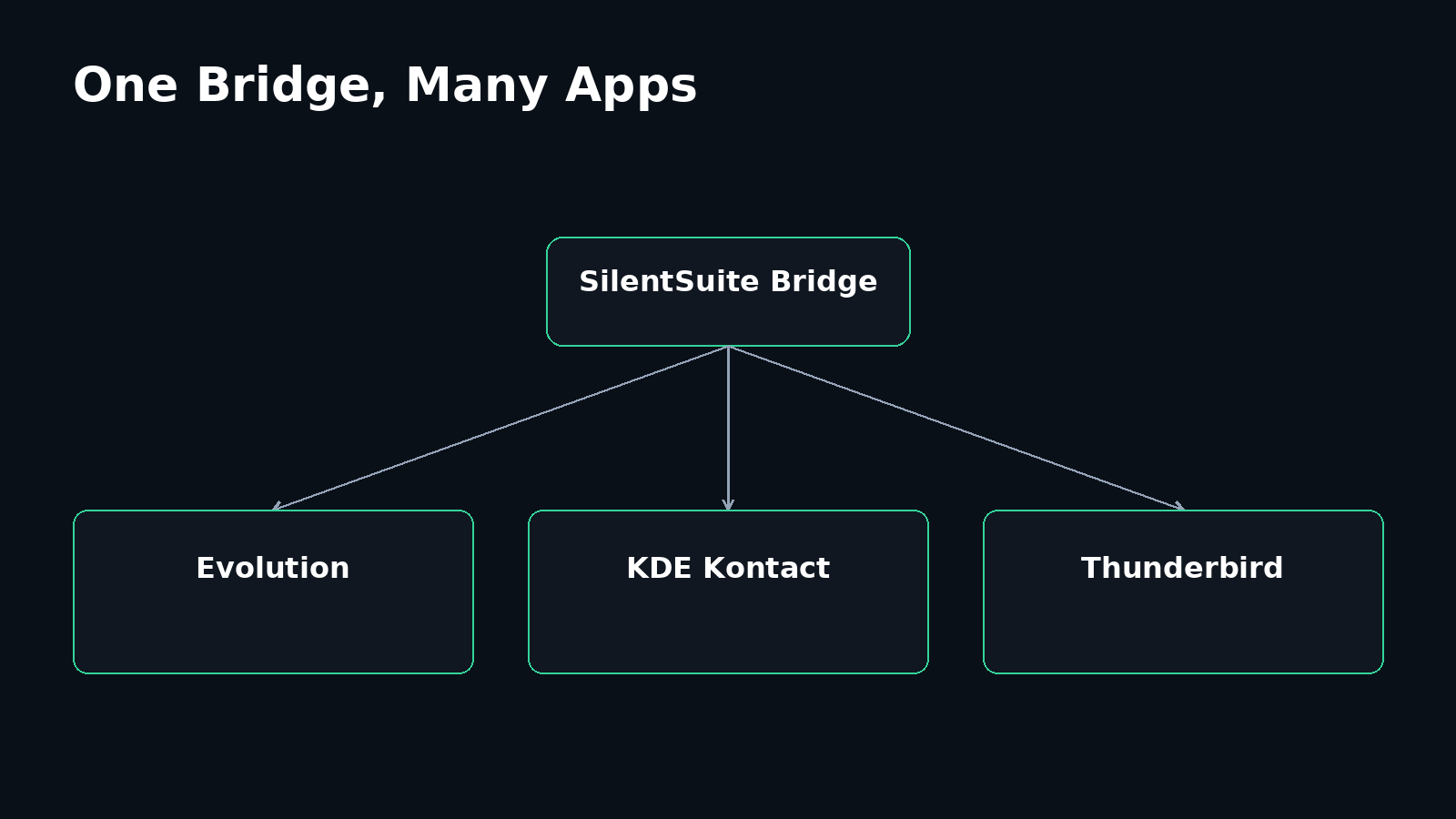
On Linux, Evolution, GNOME Calendar, KDE PIM, and Thunderbird each expect a DAV server to talk to, while SilentSuite's server stores encrypted Etebase collections and speaks no DAV at all. The dependable way to bridge that gap is to run the SilentSuite Bridge on the same computer and point those apps at its local CalDAV and CardDAV endpoint.
This guide covers Ubuntu and Fedora in one place because the underlying architecture is the same. Package names and desktop details differ, but both distributions use the Bridge as the conservative standards path. The package and upstream status below was checked in August 2026. Package availability and client screens change, so verify the current distribution documentation before installing.
Install the SilentSuite Bridge under your own Linux user, sign in at http://localhost:37358/.web/, and copy the account-specific DAV URL it shows. Add that URL as an Evolution Collection account, an Akonadi DAV Groupware resource, or a Thunderbird network calendar and CardDAV address book. Calendars, contacts, and tasks are three separate collection types, so a working calendar does not prove that contacts or VTODO tasks sync. Native Etebase resources for Evolution and KDE exist upstream, but Ubuntu and Fedora packaged them inconsistently, which is why the Bridge is the dependable path.
How does private calendar, contact, and task sync work on Linux?
SilentSuite's remote server does not expose readable CalDAV or CardDAV. It stores encrypted Etebase collections. The Bridge runs under your Linux user account, syncs that encrypted data, decrypts it locally, and presents ordinary DAV collections to supported desktop clients at 127.0.0.1:37358. Changes travel in the other direction through the same local translator and are encrypted before upload.
The remote leg is encrypted. The readable DAV leg and cache stay on the Linux computer under the default loopback configuration.
Read the detailed explanation of how the local CalDAV and CardDAV Bridge works and the separate guide to What SilentSuite actually encrypts if you want the full trust-boundary model. End-to-end encryption protects collection contents from the sync server. It does not protect plaintext after an authorized local client has received it.
Which Linux desktop clients support calendars, contacts, and tasks?
The table describes the documented Bridge path, not a promise that every DAV client will work. Tasks are CalDAV VTODO collections. They are not CardDAV data, and a calendar interface does not necessarily display them just because it displays events.
| Desktop client | Calendars | Contacts | Tasks | Published path |
|---|---|---|---|---|
| Evolution | Yes | Yes | Yes | Bridge + DAV Collection account |
| GNOME Calendar | Yes | No | No | Configure CalDAV through Evolution |
| GNOME Contacts | No | Yes | No | Configure CardDAV through Evolution |
| Endeavour (GNOME To Do) | No | No | Yes* | Verify the task list in Evolution first |
| KDE Kontact / PIM | Yes | Yes | Yes | Bridge + Akonadi DAV Groupware |
| Thunderbird | Yes | Yes | Yes | Bridge + built-in CalDAV/CardDAV |
* Endeavour uses Evolution Data Server, but task visibility can vary by source and application version. Confirm the VTODO list and a round trip in Evolution before relying on Endeavour.
How do you install the SilentSuite Bridge on Linux?
Download the current Linux Bridge binary and its adjacent checksum from the official SilentSuite releases page. Choose the artifact matching uname -m. On ARM it prints aarch64, which corresponds to the arm64 artifact. Verify the download before installation. For example:
sha256sum -c <downloaded-checksum-file>
mkdir -p "$HOME/.local/bin"
mv <downloaded-bridge-file> "$HOME/.local/bin/silentsuite-bridge"
chmod +x "$HOME/.local/bin/silentsuite-bridge"
Replace the angle-bracketed names with files from the same release. Stop if the checksum file is absent, verification is unavailable, or any digest differs. At the August 2026 cutoff, published Linux artifacts existed for x86_64 and arm64. The public convenience installer did not yet fail closed in every checksum-unavailable case, so this guide uses explicit release verification instead of piping a remote script to a shell.
The commands below use the full path because ~/.local/bin may not be on your shell's PATH yet. Run ~/.local/bin/silentsuite-bridge --install-autostart after installing if the current release documents that command for a systemd user service, then start the Bridge or log in again. Verify the exact service behavior in the current release notes rather than assuming an installer configured it.
Check the service and binary, then open the local dashboard:
systemctl --user status silentsuite-bridge.service
~/.local/bin/silentsuite-bridge --version
Visit http://localhost:37358/.web/, sign in, and wait for a successful sync. Copy the complete account-specific DAV URL shown by the dashboard. Do not construct a URL from the port or account name yourself. Use the displayed URL, your SilentSuite account email, and its matching password when a desktop client asks for DAV credentials.
How do you configure SilentSuite on Ubuntu?
GNOME, Evolution, and Endeavour
On Ubuntu 24.04 LTS, install the reproducible GNOME path with:
sudo apt update
sudo apt install evolution gnome-calendar gnome-contacts endeavour
Open Evolution and add a Collection account using CalDAV/CardDAV discovery. Enter the complete account URL copied from the Bridge dashboard and the matching credentials. Enable the discovered calendars, address books, and task lists. Evolution's official help documents CalDAV calendars, CardDAV address books, and CalDAV task lists.
Evolution is the useful control panel even if you prefer focused GNOME apps. Verify events in GNOME Calendar and people in GNOME Contacts only after the corresponding Evolution sources work. Verify each VTODO list and a completed task in Evolution first, then check Endeavour. Do not use GNOME Calendar as evidence that contacts or tasks are syncing.
Thunderbird on Ubuntu
sudo apt install thunderbirdUbuntu's APT package is a transition to the Snap build on Ubuntu 24.04. In Thunderbird, create a new network calendar with the Bridge account URL, then add a CardDAV address book with the same URL and credentials. Subscribe to the discovered VTODO collection and test it in Thunderbird's Tasks view. Current Thunderbird releases have built-in CalDAV and CardDAV support, so old instructions requiring TbSync should not be carried forward without a specific legacy-version reason.
KDE PIM on Ubuntu
sudo apt install kontact korganizer kaddressbook kdepim-runtimeOpen Kontact or the Akonadi configuration, add a DAV Groupware resource, and enter the Bridge account URL and credentials. Select the discovered calendar, address-book, and task collections, then verify them in KOrganizer and KAddressBook. Ubuntu 24.04's official kdepim-runtime includes the DAV Groupware resource. Its published file list did not include the native akonadi_etesync_resource executable at the research cutoff.
How do you configure SilentSuite on Fedora?
GNOME, Evolution, and Endeavour
sudo dnf install evolution gnome-calendar gnome-contacts gnome-todoFedora retains the RPM package name gnome-todo for the app branded Endeavour. Use the same Evolution Collection account flow as on Ubuntu: complete Bridge URL, matching credentials, discovery, and explicit selection of calendars, address books, and VTODO lists. Confirm all three types in Evolution before checking Calendar, Contacts, or Endeavour.
Thunderbird on Fedora
sudo dnf install thunderbirdAdd the Bridge URL as a network CalDAV calendar and as a CardDAV address book. Discover and select the VTODO collection separately, then test it in the Tasks view. A successful event sync does not prove task sync.
KDE PIM on Fedora
sudo dnf install kontact korganizer kaddressbook kdepim-runtimeAdd an Akonadi DAV Groupware resource through the local Bridge and select each collection. Fedora's official package publishes the DAV Groupware executable. The inspected file list contained EteSync translation catalogs but not akonadi_etesync_resource. Translation files are not evidence that a native resource was compiled into the package.
Can Linux use native EteSync integration without the Bridge?
Yes, conditionally. Native Etebase integrations for Evolution and KDE remain active upstream, but Ubuntu and Fedora package them inconsistently. That makes them advanced alternatives rather than the primary setup in this guide.
- Evolution: the separate evolution-etesync project released version 1.1.2 in January 2026 and had further commits in March 2026. It supports Evolution calendar, contact, task, and notes backends. Ubuntu 24.04 and Fedora did not provide it in their official repositories at the August 2026 cutoff. Third-party OBS and COPR builds existed, but versions and build results did not consistently match upstream.
- KDE: current Akonadi EteSync source remains upstream. Its build is conditional on finding Etebase, so the source directory does not prove a distribution binary includes the resource. The official Ubuntu and Fedora packages inspected did not.
If you choose a third-party native package, check its maintainer, source, build date, Etebase dependency, and compatibility with your installed Evolution Data Server or KDE release. Do not enable the native resource and Bridge resource for the same collections at once unless you are deliberately testing for duplicates and conflict behavior.
What should you check when Linux DAV sync fails?
Troubleshoot one boundary at a time. If the dashboard does not open, inspect the systemd user service before changing anything in Evolution, KDE, or Thunderbird. If the dashboard opens but reports a sync error, resolve the SilentSuite account or remote-server problem first. Desktop DAV settings cannot repair a Bridge that has not completed encrypted sync. If you run the server yourself, work through the self-hosted operations checklist before blaming the desktop.
- No collections are discovered: paste the complete account-specific URL from the dashboard again. Confirm that the client is using the matching account email and password, not a guessed path or a different local account.
- Events work but contacts do not: check for a separate CardDAV address-book source. A CalDAV calendar subscription does not create one.
- Events work but tasks do not: confirm that discovery returned a VTODO collection and that it is enabled in a task-capable view. Test in Evolution, KOrganizer, or Thunderbird before blaming a focused GNOME app.
- Focused GNOME apps are empty: return to Evolution and check that the corresponding Evolution Data Server source is enabled. Calendar, Contacts, and Endeavour expose different data types.
- Duplicate collections appear: check whether the same account was added twice, or through both a native EteSync resource and the Bridge. Disable one path before deleting data.
- Sync stops after logout or reboot: inspect the user service status and logs with
journalctl --user -u silentsuite-bridge.service. Confirm that the service is running under the same Linux user who owns the desktop DAV configuration.
Avoid widening the listener as a troubleshooting shortcut. Making the Bridge reachable on the LAN changes the security boundary and does not fix bad credentials, missing collection selection, or an unsupported client data type.
Where does plaintext exist on a Linux computer?
SilentSuite data remains encrypted between the Bridge and the remote server. On your computer, the Bridge presents decrypted calendar, contact, and task data over plaintext HTTP bound to loopback. Under the default 127.0.0.1 configuration, that HTTP traffic does not leave the computer, but it is still plaintext on a local socket. The Bridge also keeps a decrypted local cache, and DAV clients may maintain their own readable databases, indexes, notifications, and backups.
Linux user-account security, full-disk encryption, screen locking, trusted desktop apps, and backup handling therefore remain part of the privacy model. A process running with your user's access may be able to reach local files or the loopback service. The Bridge protects against a readable remote sync provider, not against malware or an attacker who already controls your unlocked desktop. SilentSuite's threat model is explicit about which of those attackers encryption cannot stop.
How do you verify Linux sync end to end?
Start by checking the process and network boundary:
systemctl --user status silentsuite-bridge.service
~/.local/bin/silentsuite-bridge --version
ss -ltnp | grep 37358
The listener should be attached only to 127.0.0.1:37358 or another address you have explicitly verified as loopback. If it is bound to 0.0.0.0, a LAN address, or a public interface, stop and fix that exposure before entering credentials or syncing data.
- Confirm the local dashboard opens and reports a successful sync.
- Confirm the desktop client discovers separate calendar, address-book, and task collections.
- Create a uniquely named test event and a uniquely named contact.
- Create, complete, and reopen a uniquely named task.
- Trigger or wait for Bridge sync, then verify all three on another SilentSuite client.
- Edit one test item on the second client and confirm the change returns to Linux.
- Delete the test data from the intended collections.
A green login or one visible calendar is not enough. The round trip tests account discovery, Etebase sync, local DAV conversion, each desktop backend, and the VTODO path independently.
FAQ
Does SilentSuite use CalDAV and CardDAV directly on its hosted server?
No. The remote server uses encrypted Etebase sync. The local Bridge exposes readable CalDAV and CardDAV only on your computer for supported desktop clients.
Are tasks CardDAV data?
No. Contacts use CardDAV. Tasks use CalDAV VTODO collections and must be discovered and tested separately from event calendars.
Can I use GNOME Calendar without keeping Evolution open?
GNOME Calendar uses Evolution Data Server sources, so Evolution is the reproducible place to configure and verify the CalDAV account. Evolution does not need to remain as your foreground calendar interface after the source is configured.
Is native EteSync support built into Ubuntu or Fedora?
Not consistently. The Evolution plugin and KDE resource are active upstream, but the official Ubuntu and Fedora packages inspected in August 2026 did not provide a uniform native installation path. Use the Bridge unless you have verified a compatible package for your exact release.
Is the Bridge's localhost connection encrypted?
No. Its default DAV endpoint is plaintext HTTP on loopback. The traffic stays on the computer when bound to 127.0.0.1, while remote Etebase sync remains encrypted. Never expose port 37358 to your network.
Which Linux client covers calendars, contacts, and tasks at once?
Evolution, KDE Kontact, and Thunderbird each cover all three through the Bridge. GNOME Calendar, GNOME Contacts, and Endeavour each handle one data type and read Evolution Data Server sources, so configure and verify the account in Evolution first.
How do I check that the Bridge listens only on loopback?
Run ss -ltnp | grep 37358 and confirm the listener is bound to 127.0.0.1:37358. If it is bound to 0.0.0.0, a LAN address, or a public interface, fix that exposure before entering credentials or syncing data.
A Linux setup is private only when every boundary matches your intent: encrypted remote sync, a loopback-only Bridge, protected local caches, and trusted clients. Install the Bridge once, connect the desktop stack you actually use, and prove events, contacts, and VTODO tasks in both directions before treating the setup as complete.
Interested in private sync?
SilentSuite is available now as a public beta. Sign up and start syncing your calendar, contacts, and tasks with end-to-end encryption.
Get started for free