 Tim Ross
Encryption is the one part of a self-hosted calendar you do not have to operate. Everything else is yours. A SilentSuite server, built on the Etebase protocol, stores encrypted sync data, and none of that protects you from an expired certificate, a full disk, or a backup nobody ever restored. This runbook turns availability, access control, backups, updates, DNS, and TLS into checks you can execute and record.
This is an operations guide, not an argument for or against running your own server. Read the hosted versus self-hosted calendar comparison if you are still choosing an architecture. For the commands and configuration maintained with the software, keep the SilentSuite self-hosting documentation open beside this checklist.
A deployment is not finished when the containers start. Each change returns to a verified, recoverable baseline.
A recoverable backup has three coordinated parts: the PostgreSQL dump, the server data volume including secret.txt, and every configuration file including external reverse-proxy config. Deploy from a pinned release tag rather than a moving image, verify through DNS and the proxy rather than Docker health checks alone, and prove the backup by restoring it into an isolated instance on a schedule. The encryption is the protocol's job; the rest of that list is the operator's.
What does a SilentSuite self-hosted server require?
Start with a supported Linux host such as Ubuntu 22.04 or newer, Debian 12 or newer, or an equivalent distribution. The documented minimum is 1 GB of RAM and 10 GB of disk. Treat that as a floor, then size for your user count, backup staging space, logs, and image downloads. You also need Docker Engine 24 or newer, the Docker Compose v2 plugin, a domain you control, and a reverse proxy that terminates TLS.
- Host: Linux, at least 1 GB RAM and 10 GB disk.
- Runtime: Docker Engine 24+ and
docker composev2, not the legacydocker-composebinary. - Network: a DNS A record for a dedicated hostname such as
sync.example.com. - Edge: Caddy, nginx, Traefik, Cloudflare Tunnel, or a comparable reverse proxy providing a valid HTTPS certificate.
docker --version
docker compose version
dig +short sync.example.com
df -h
free -h
The DNS result must be the intended server address before a proxy such as Caddy can obtain a certificate. Follow the official Docker Engine installation guide rather than an unreviewed third-party installer. Restrict inbound access to what your chosen TLS setup requires. PostgreSQL should remain inside the Docker network, and the SilentSuite service should stay bound to host loopback at 127.0.0.1:3735 unless you have designed an equivalent network control.
How do you deploy a release-pinned calendar server?
Choose an umbrella release tag from the SilentSuite GitHub releases page. In production, do not silently follow main or substitute an image tag by hand. A tagged self-host release keeps the Compose file, helper scripts, and server image digest in one known release matrix.
Download the installer to disk, inspect it, and then execute it with the same explicit release tag. This is safer and more auditable than piping a network response directly into a shell.
VERSION=vX.Y.Z
curl -fL "https://raw.githubusercontent.com/silent-suite/silentsuite/$VERSION/self-host/install.sh" -o install.sh
less install.sh
chmod 700 install.sh
./install.sh --version "$VERSION"
If your policy permits the shorter curl-to-shell form, read the fetched script at the selected tag first and retain a local copy for the change record. Never run a moving remote script without inspection. The installer creates silentsuite-server/, generates secrets, downloads the release-matched files, pulls the pinned images, starts the server and PostgreSQL, and waits for their health checks.
Configure the reverse proxy to send HTTPS traffic to 127.0.0.1:3735. Confirm the hostname is present in the generated etebase-server.ini. If a proxy container connects over a Docker network, configure TRUSTED_PROXY_IPS with that proxy container's exact IP. CIDR ranges are not supported for this setting. Use the documented reverse proxy examples and preserve their forwarded headers and upload-size settings.
The first signup uses the bootstrap token generated into the local .env file. Complete that signup promptly, then run ./close-signups.sh. The bootstrap URL may appear in browser history or proxy logs, so treat it as a secret until the first account exists. Keep the Django admin disabled unless a recovery task requires it, and place separate access controls in front of /admin/ before enabling it.
How do you verify the deployment before adding users?
Verify the containers, the local application endpoint, the public TLS path, and a real client connection. The supplied script checks that both containers are running and healthy and that the local server endpoint responds. It does not replace a test through DNS and the reverse proxy.
cd silentsuite-server
./verify.sh
docker compose ps
docker compose logs --tail 100 server
docker compose logs --tail 100 postgres
curl --fail --show-error --silent https://sync.example.com/ >/dev/nullsilentsuite-serverandsilentsuite-postgresshould both report healthy.- The public request should complete without a DNS, connection, or TLS error.
- Logs should not show repeated restarts, migration failures, database authentication errors, or invalid host errors.
- Create the first admin through the SilentSuite app, close signups, then sync a disposable calendar item from one client and confirm it appears on another client.
Do not claim monitoring exists merely because Docker has health checks. If availability matters, configure an external check you operate for the public HTTPS endpoint and route alerts to a channel you actually watch. Keep the check limited to service availability. SilentSuite does not promise a hosted monitoring service for your self-hosted instance.
What must a recoverable SilentSuite backup contain?
A recoverable backup has three coordinated parts. Missing any one can make a recovery incomplete or impossible.
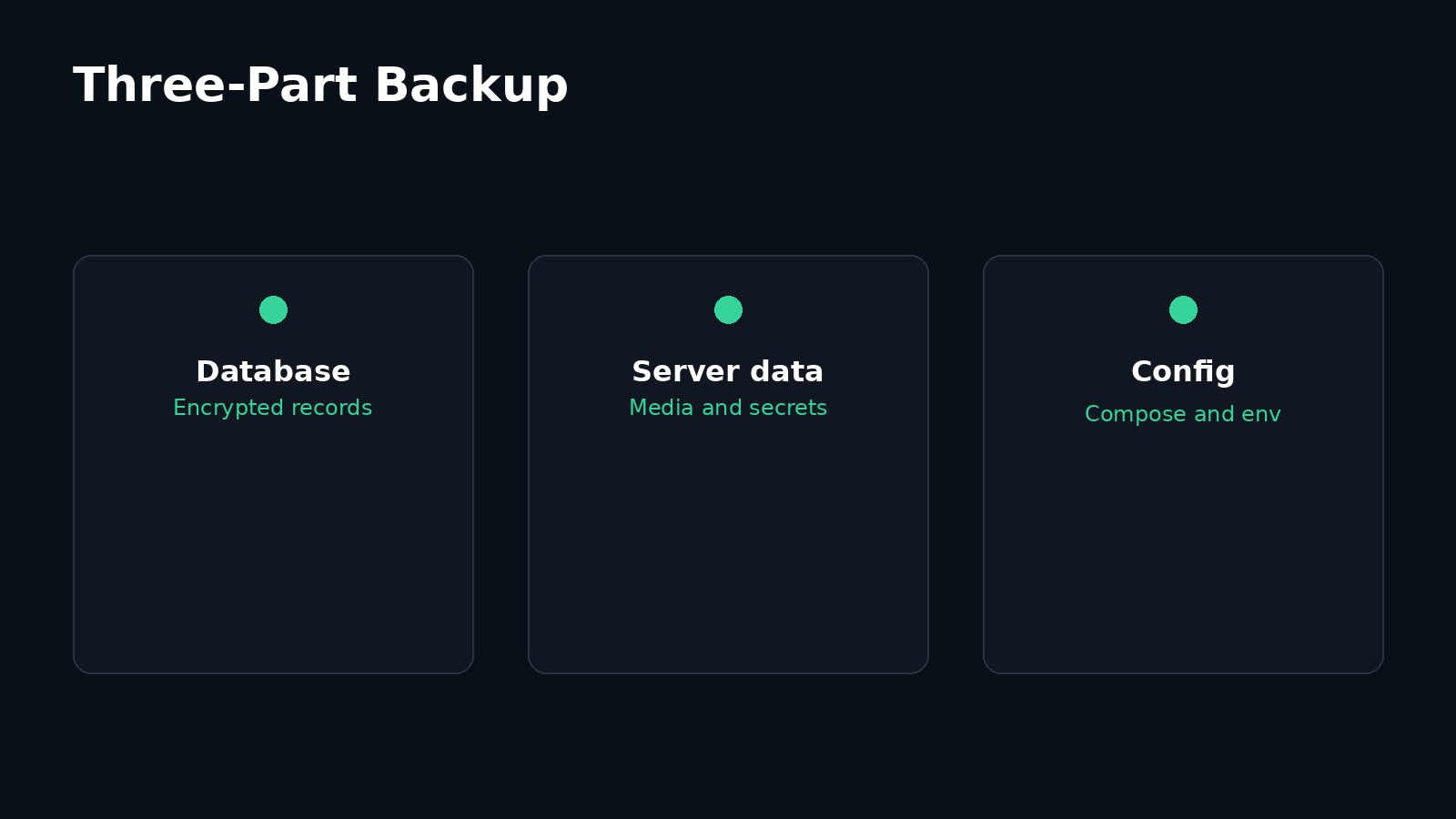
- PostgreSQL dump: encrypted sync records and user accounts.
- Server data volume: encrypted media chunks plus server state such as
secret.txt. Preserve the server secret for authentication and session continuity. It is not the client content key, and losing it does not cryptographically destroy client-decryptable items. - Configuration:
.env,etebase-server.ini, every Compose file including a generated override, and external Caddy, nginx, or Traefik configuration needed to reproduce public routing and trusted-proxy boundaries.
STAMP=$(date -u +%Y%m%dT%H%M%SZ)
mkdir -p "backups/$STAMP"
docker compose exec -T postgres pg_dump -U silentsuite silentsuite   > "backups/$STAMP/database.sql"

# Confirm the actual project-prefixed volume name before using it.
docker volume ls
SERVER_DATA_VOLUME=silentsuite-server_server_data
docker run --rm   -v "$SERVER_DATA_VOLUME:/data:ro"   -v "$PWD/backups/$STAMP:/backup"   alpine tar czf /backup/server-data.tar.gz -C /data .

cp .env etebase-server.ini docker-compose.yml "backups/$STAMP/"
[ ! -f docker-compose.override.yml ] ||   cp docker-compose.override.yml "backups/$STAMP/"
# Copy external reverse-proxy configuration from its real host path too.
chmod -R go-rwx "backups/$STAMP"
The Docker volume prefix depends on the install directory or Compose project name, so confirm it rather than copying an example blindly. The command cannot know where an external reverse proxy stores its files, so add that path explicitly and verify it appears in the backup manifest. Keep backups encrypted at rest, restrict access because the configuration contains credentials, retain more than one generation, and copy them to a failure domain separate from the server. Record whether each transfer and retention job succeeded. A backup stored only on the same disk does not protect against disk loss.
These archives hold ciphertext for item content, because clients encrypt before sync. The server secret is not a client content key, so an operator restoring this backup still cannot read events, contacts, or tasks. For the precise line between encrypted content and visible structural metadata, read What SilentSuite actually encrypts.
How do you test that a backup can really be restored?
Restore into an isolated test instance on a recurring schedule and after material backup changes. Never perform the first restore test over the production volumes. The documented restore procedure removes and recreates volumes, which is destructive if pointed at the wrong Compose project.
- Provision an isolated host or isolated Compose project with enough free disk space. Block public access while restoring.
- Restore the saved configuration with appropriately restricted file permissions, then create fresh empty database and server-data volumes.
- Start PostgreSQL only, wait for
pg_isready, and load the SQL dump withpsql. - Restore the server-data archive into the test project's server-data volume, then start the complete stack.
- Run
./verify.sh, inspect both service logs, connect a test client, and verify known records can be listed and synced. - Record the recovery time, backup timestamp, test release, result, and any manual steps. Destroy the isolated copy securely when the test is complete.
Use the exact commands in the current backup and restore guide for your release. Before any volume removal, compare docker compose ls, docker compose ps, and docker volume ls with your written test project name. Stop if any production identifier appears in the destructive command.
How do you update without losing the rollback path?
Treat every cross-version update as a controlled change. The supplied update.sh only re-pulls and recreates the images already pinned by the current Compose file. It does not move the installation to another SilentSuite release. A cross-version upgrade requires the installer for the chosen release, which fetches that release's pinned Compose and helper files.
- Read the target release notes and identify configuration or migration changes.
- Create and verify a fresh three-part backup.
- Record the current release, Compose file, image digests, free disk space, and health output.
- Download and inspect
install.shfrom the target release tag, then run it from the parent of the existing install directory with--version. Keep the existing.envwhen prompted unless the release notes explicitly require a reviewed configuration change. - Run the local and public verification checks, inspect logs, and perform a client sync test before declaring the maintenance complete.
Do not edit the server image digest alone. That separates the image from the release-matched Compose file and helper scripts. If verification fails, stop making changes, preserve logs, and use your tested recovery procedure. Database migrations can make a simple image downgrade unsafe, which is why a pre-update backup and restore test matter.
What should the recurring maintenance checklist include?
These are starting cadences, not a universal service-level agreement. Tighten them to match your user count, recovery objectives, threat model, and alert coverage. The important part is assigning an owner and keeping evidence. Also maintain the Linux host, Docker Engine, reverse proxy, certificate automation, firewall, SSH access, and backup tooling. A healthy application container does not prove the rest of the system is healthy.
Running the box yourself changes who operates it, not what it can read. The SilentSuite threat model sets out which parties encryption excludes, which risks stay operational, and why a lost password has no recovery hatch.
What should you check when the server is unhealthy?
docker compose ps
./verify.sh
docker compose logs --tail 200 server
docker compose logs --tail 200 postgres
Check one layer at a time: host capacity, container state, database health, server logs, loopback response, reverse proxy, DNS, TLS, then external client access. A 400 response commonly means the public domain is absent from etebase-server.ini. Database authentication errors can occur when DATABASE_PASSWORD is changed after the database volume was initialized. Do not use docker compose down -v as a troubleshooting shortcut because it deletes the data volumes.
The maintained troubleshooting guide covers invalid hosts, TLS failures, database errors, slow first starts, and service recreation. Preserve logs and a copy of the current configuration before changing anything.
FAQ
Does self-hosting remove the need for backups?
No. Self-hosting makes you responsible for recovery. Back up PostgreSQL, the server data volume, every Compose and environment file, and external reverse-proxy configuration, then prove the set works with an isolated restore test.
Can I use the latest image tag in production?
Use a SilentSuite release-pinned Compose file instead. The release binds the helper scripts, configuration, and server image digest to one tested matrix and prevents an ordinary pull from introducing an unreviewed server version.
Is Docker's healthy status enough monitoring?
No. Container health checks are one signal on one host. Add a public HTTPS availability check and alert route that you operate, and separately verify backups, capacity, TLS, and client sync.
How often should I test a restore?
Use a schedule tied to your recovery objective, and test again whenever the backup format, storage destination, release process, or restore procedure changes. Record the result and recovery time.
Does the self-hosted server store plaintext calendar events?
SilentSuite clients encrypt calendar, contact, and task data end to end using Etebase, so the sync server stores encrypted data rather than the plaintext item content. That does not remove operational risks such as account abuse, metadata exposure, downtime, secret loss, or an unavailable backup.
What do I need to run a self-hosted SilentSuite server?
A Linux host with at least 1 GB of RAM and 10 GB of disk, Docker Engine 24 or newer with the Compose v2 plugin, a DNS A record for a dedicated hostname, and a reverse proxy that terminates TLS. Treat the documented minimum as a floor and size above it for your user count, backup staging, logs, and image downloads.
How do I update a self-hosted SilentSuite server safely?
Read the target release notes, take and verify a three-part backup, and record the current release, Compose file, and image digests. Then download install.sh from the target release tag, inspect it, and run it with --version. The bundled update.sh only re-pulls the images already pinned by the current Compose file, so it does not move an installation across releases.
A reliable self-hosted calendar is a repeated process: pin the release, verify every path, preserve all three backup parts, prove restoration, and maintain the whole host. Start with the versioned self-host files and the current deployment requirements, then adapt the checklist to your recovery and availability targets.
Interested in private sync?
SilentSuite is available now as a public beta. Sign up and start syncing your calendar, contacts, and tasks with end-to-end encryption.
Get started for free