 Tim Ross
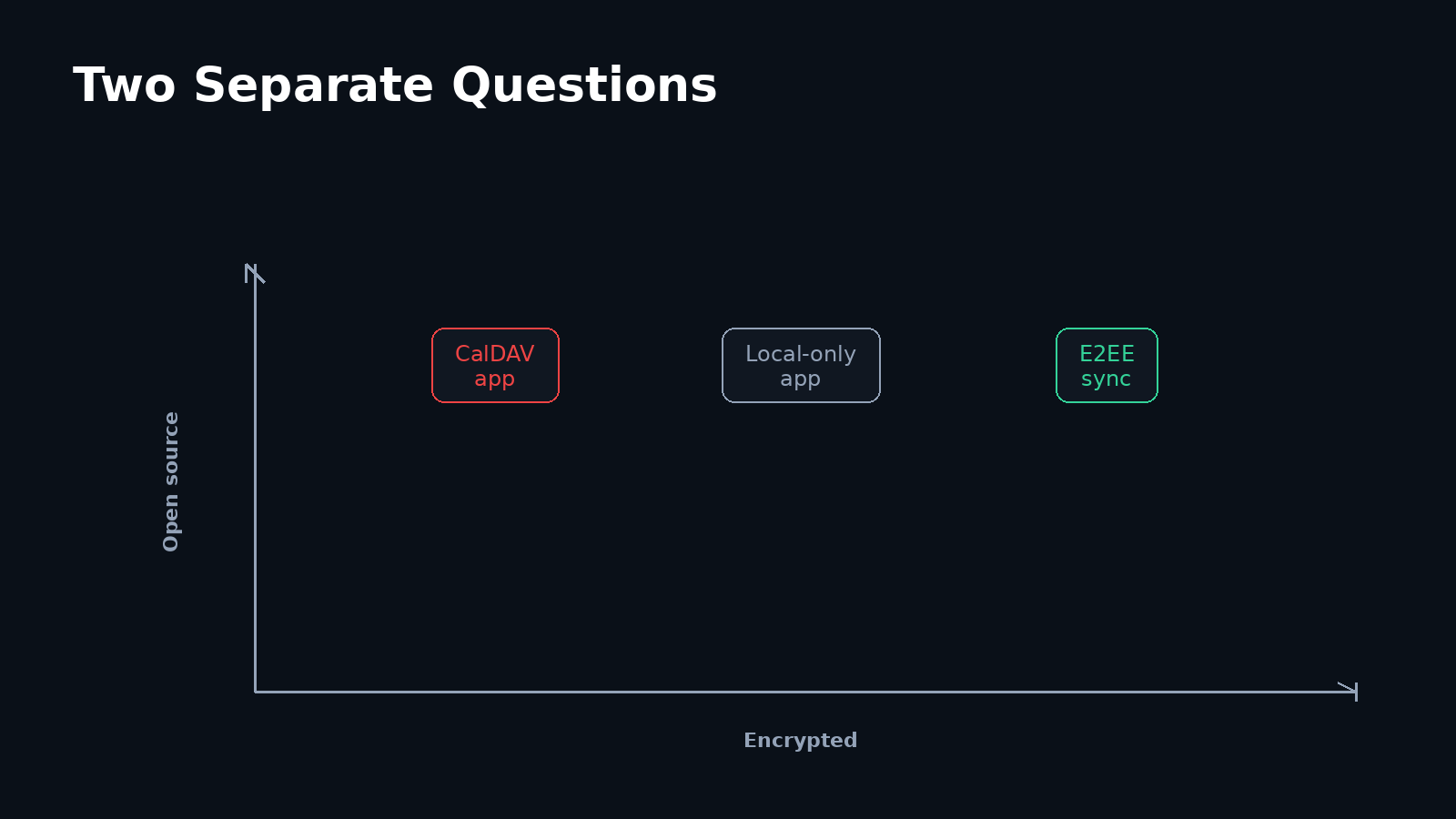
“It is open source” and “the server cannot read it” are two different claims, and privacy checklists routinely treat them as one. A licence tells you whether an app's code can be inspected, changed, and independently built. It says nothing about what a sync server receives. SilentSuite's server and bridge are AGPL-3.0 and its Android app is GPL-3.0, but the reason its server cannot read your events is the Etebase encryption, not the licence.
SilentSuite's hosted public beta starts from €3/mo billed annually, while its server remains free to self-host under AGPL-3.0.
On Android, one event can pass through a calendar interface, the system Calendar Provider, a sync adapter, a protocol, a TLS connection, and a remote server. Those roles can be supplied by different projects. The decisive privacy questions are where readable event data appears and who controls the content-encryption keys.
On Android one event passes through the calendar interface, the system Calendar Provider, a sync adapter, a protocol, a TLS connection, and a remote server. Every one of those layers can be open source while the server still receives readable events. Only content encryption and key ownership decide whether that server can read your event titles. Open source, HTTPS, and self-hosting are each separate from end-to-end encryption, so a private setup means checking all of them rather than any one of them.
What does an open-source calendar app actually tell you?
An open-source license makes the source for a particular component available under stated terms. That enables inspection, modification, and independent builds. It does not prove which build is installed, which remote service the build contacts, or how that service handles data.
Consider Etar as a role example. Its project documentation describes an open-source Android calendar that uses Android's calendar storage. It also says Etar does not include a CalDAV client, so CalDAV synchronization requires a separate app. The interface can therefore stay the same while the sync arrangement underneath it changes completely.
The same calendar UI could display a local-only calendar, records synced through conventional CalDAV, or records decrypted locally by an E2EE sync adapter. Open source is valuable, but it is one axis in the architecture, not shorthand for server privacy.
How does one event travel from an Android screen to another device?
Imagine creating an event called “Oncology appointment” on one Android phone. The calendar UI writes the event into Android's Calendar Provider. A sync adapter reads the record, translates it into the remote system's representation, and sends an update. The second device reverses that process and writes a local record that another calendar UI can show.
Whether the server receives a readable title or ciphertext depends on the sync and key layers, not on the UI icon. The matrix below separates each job and marks the question that changes its trust boundary.
One event, eight separate questions
The interface and device store can remain unchanged while the sync, server, encryption, and key boundaries change.
Calendar UI app
Layer 1- Job:
- Displays and edits events
- Plaintext:
- While an event is displayed or edited
- Ask:
- Which local calendars can it read?
Android Calendar Provider
Layer 2- Job:
- Stores shared calendar records on the device
- Plaintext:
- Readable through the provider API by permitted apps
- Ask:
- Which apps have calendar permission?
Sync adapter
Layer 3- Job:
- Reconciles local and remote records
- Plaintext:
- In memory while mapping, encrypting, or decrypting
- Ask:
- What exactly does it upload?
Protocol and format
Layer 4- Job:
- Defines sync operations and event representation
- Plaintext:
- Depends on the protocol and payload design
- Ask:
- Does it define content encryption?
TLS channel
Layer 5- Job:
- Protects traffic between network endpoints
- Plaintext:
- At the client and the TLS termination point
- Ask:
- Where does TLS terminate?
Sync server
Layer 6- Job:
- Authenticates, stores, and serves sync state
- Plaintext:
- Readable in conventional sync, ciphertext in E2EE sync
- Ask:
- Can it process event content?
Content E2EE
Layer 7- Job:
- Encrypts event content before network upload
- Plaintext:
- Only on authorized clients under the intended design
- Ask:
- Is the payload still encrypted at the server?
Key ownership
Layer 8- Job:
- Controls generation, recovery, sharing, and revocation
- Plaintext:
- Wherever a usable content key can be unwrapped
- Ask:
- Who can obtain a usable content key?
Readable iCalendar data travels inside a protected TLS channel. The CalDAV server can process it after TLS terminates.
The client encrypts the event payload before transport. TLS adds channel protection, while the server stores ciphertext without a usable content key under the documented design.
How much sync detail do you need to evaluate an open-source calendar app?
Enough to identify each layer, but not enough to confuse the UI with the sync service. On Android, a calendar app can read the shared Calendar Provider while a separate adapter moves records to and from a server. With conventional CalDAV over HTTPS, the network channel is protected but the CalDAV server can process readable event data. With content E2EE, the client encrypts before upload and the server stores ciphertext without a usable content key.
Those mechanics matter, but they are not the search question this article is trying to answer. For a protocol-level walkthrough of the Android data path, DAVx5, TLS, local permissions, and SilentSuite's native sync path, read how private CalDAV and encrypted calendar sync work on Android. Here, the important point is narrower: an open-source calendar UI does not determine what the remote server can read.
Who owns the keys in a private calendar setup?
Start by separating the server's TLS key from the user's content keys. The TLS private key authenticates a network endpoint and helps establish a protected channel. It does not, by itself, encrypt stored event content against that endpoint. Content keys determine who can turn an encrypted event payload back into readable data.
A useful key audit asks:
- Where is content-key material generated or derived?
- Does the server ever receive a usable key, or only a wrapped key?
- How does a new device become authorized?
- How is a calendar key shared with another person?
- What does password reset or account recovery make possible?
- Can access be revoked, and what happens to previously downloaded data?
Etebase provides one documented example, not a universal template. Its authentication specification derives a main key from the user's password, generates an account key on the client, and uploads that account key inside encrypted content. Under that documented flow, the server does not receive the account key in a directly usable form. The broader Etebase overview assigns encryption-sensitive operations to clients and describes the server as storing encrypted and signed items.
Recovery can change the answer. If an operator can reset a password and silently recover every content key, the operator belongs inside the decryption trust boundary. If losing the only password also loses access to the keys, that preserves a stricter boundary at a real usability cost. Sharing, device enrollment, and notifications deserve the same scrutiny. For a closer look at SilentSuite's encrypted fields and visible structural metadata, read What SilentSuite actually encrypts.
How can you assemble a private Android calendar stack?
There is no single correct stack. Choose the pattern that matches whether you need remote backup, multiple devices, interoperability, or protection from the server operator.
| Pattern | What crosses the network? | Who can read event content? | What does it establish? |
|---|---|---|---|
| Local-only open-source calendar | Nothing from this calendar stack | The user and permitted local calendar apps | No remote sync, server copy, or multi-device recovery |
| Open-source UI with CalDAV over HTTPS | Readable iCalendar application data inside TLS | Authorized local apps, the adapter, and the CalDAV server | Open UI, interoperable sync, and protected transport |
| Open-source UI with E2EE sync | Encrypted payloads inside TLS | Authorized clients and permitted local calendar apps | A server-excluding content boundary, subject to the key design |
Self-hosting can change who operates the server, but it does not automatically change what the server can read. An open-source CalDAV server can still process readable event objects, while a hosted E2EE server can store ciphertext. Hosting, licensing, protocol choice, and key ownership should be evaluated separately. SilentSuite's self-hosting versus hosted comparison works through the cost and effort side of that same distinction.
How can you audit a calendar setup layer by layer?
- Name the calendar UI and verify the license for that component.
- Identify the local store or Android provider that the UI reads.
- Identify the sync adapter, if the calendar leaves the device.
- Name the remote server software and who operates the deployment.
- Write down the event format and sync protocol as separate facts.
- Verify that the actual connection uses TLS and a valid certificate.
- Check whether event payloads are encrypted before network transport.
- Trace content-key generation, storage, enrollment, sharing, recovery, rotation, and revocation.
- Review which local apps can read the decrypted device store.
- Test export and deletion separately, because encryption proves neither.
Avoid replacing this audit with a single label. “Open source” does not answer server visibility. “HTTPS” does not answer endpoint visibility. “Self-hosted” does not answer payload encryption. Even “E2EE” needs a key and recovery design before it becomes a complete, testable claim.
What is the practical difference between open source and encrypted sync?
Open source asks, “Can the code for this component be inspected, changed, and independently built under its license?” Encrypted sync asks, “What leaves the device, where does plaintext appear, and can the remote server obtain a usable content key?” A private setup can benefit from both, but neither term substitutes for the other.
SilentSuite is one concrete arrangement: a GPL-3.0 Android sync adapter writes locally decrypted events to Android's Calendar Provider while Etebase protects the remote event payload from the sync server under the documented key design. The server and bridge are AGPL-3.0. That arrangement protects against server-side content access, but it intentionally makes events available to calendar apps that the user permits on the device. The SilentSuite threat model states which parties that design excludes and which it does not, notably a compromised device and a lost password.
FAQ
Does an open-source calendar app automatically sync privately?
No. The license applies to that app's code. Private sync depends on the sync adapter, server, protocol, payload encryption, and content-key ownership.
Can an open-source calendar app use a closed-source sync service?
Yes. The app's license and the sync service's license are separate. That combination may work technically, but the openness of the UI does not make the adapter or server inspectable.
What is the difference between a calendar app and DAVx5?
A calendar app displays and edits events. DAVx5 describes itself as a CalDAV and CardDAV sync app that connects server collections to Android's storage providers, not as a calendar user interface.
Does end-to-end encryption protect events from every app on my phone?
No. E2EE can prevent a remote sync server from reading event content. After an authorized adapter decrypts an event into Android's Calendar Provider, other local apps with calendar permission can read it.
Does self-hosting make calendar sync end-to-end encrypted?
No. Self-hosting changes who operates the server. A conventional CalDAV server can still process readable event data unless clients apply a separate content-encryption design before upload.
Is an open-source calendar app more private than a closed-source one?
It is more inspectable, which is not the same as more private. An open license lets you audit that app's own code and build it yourself. The sync adapter, protocol, server, and key design still decide what leaves the device and who can read it.
Which layer decides whether the server can read my events?
Content encryption plus key ownership. If the client encrypts the event payload before upload and the server never obtains a usable content key, the server holds ciphertext. TLS, the app license, and the hosting arrangement do not change that answer on their own.
Start with the layers, not a vendor score. Keep the interface you like, then identify the local store, sync adapter, protocol, server, encryption boundary, and key owner. That is how you learn what “private calendar” means for the setup you actually run.
Interested in private sync?
SilentSuite is available now as a public beta. Sign up and start syncing your calendar, contacts, and tasks with end-to-end encryption.
Get started for free