 Tim Ross
Google does not offer a transfer button for calendars. There is no handshake that hands your events to another provider, so moving a Google Calendar into SilentSuite is a file migration: export ICS files on a computer, preserve the originals, import each calendar separately, and verify representative events before you cut over.
An ICS export is useful, but it is not a complete copy of every Google Calendar behavior. Event titles, times, descriptions, locations, and many ordinary recurrence rules can travel in the file. Google account relationships and Google-specific services may not. Plan this as a reversible migration, not a one-click account transfer.
Export your calendars from Google in a desktop browser, keep the original ZIP untouched, then import one extracted ICS file at a time into a new SilentSuite calendar. Titles, times, descriptions, locations, and ordinary recurrence rules travel in the file. Guest invitations, Meet links, sharing permissions, and Google-only event types do not. Verify sample events on a second device before you cut over, and keep Google Calendar in place until those checks pass.
How do you export Google Calendar to an ICS file?
Use Google Calendar in a desktop browser. Google's official help says that calendar export is done on a computer, not in the Google Calendar mobile app. You can export all calendars together or export one calendar at a time. See Google's instructions for exporting calendar events if its settings labels change.
- Open Google Calendar on a computer and choose Settings.
- Open Import & export, then choose Export. Google downloads a ZIP archive.
- Copy that original ZIP to a safe location before extracting it. The archive contains a separate ICS file for each exported calendar.
- Extract a working copy. Do not rename, edit, or delete the original ZIP or original ICS files until the migration is complete and checked.
If you prefer to export a single calendar, open that calendar's settings and use Export calendar. Either route produces an ICS file that other calendar applications can read. For a controlled migration, separate files are helpful because they preserve a clear boundary between calendars such as Personal, Work, and Family.
Reversible migration path
Keep a known-good source until the encrypted copy passes your checks.
Download Google’s ZIP on a computer.
Keep the original ZIP and extracted ICS files.
Move one calendar at a time into a new calendar.
Check samples before changing your daily workflow.
How do you import Google Calendar into SilentSuite?
Sign in to the SilentSuite web app, open Settings, then Import Data. Under Calendar Events, select the destination calendar and choose one extracted ICS file. The importer parses the file locally in your browser and shows the number of events found, plus a preview, before you confirm the import. Each ICS file must be 10 MB or smaller.
Import one source calendar at a time into a newly created destination calendar with a matching name. After each import, stop and verify it. Although the current interface can accept multiple ICS files and create one calendar per file, a calendar-by-calendar run is easier to audit and easier to undo if a source file exposes an edge case. Do not reimport a file as an update: the importer assigns fresh item identifiers, so a retry creates duplicate events instead of matching the original source UIDs.
- Create a new empty SilentSuite calendar for the source calendar.
- Select only that source calendar's ICS file.
- Review the detected event count and the visible preview.
- Import the events and wait for the completion count.
- Run the verification checklist below before importing the next file.
SilentSuite encrypts imported event content on your device before sync. The hosted server stores ciphertext rather than readable event content. For the precise boundary between encrypted content and visible sync metadata, read What SilentSuite actually encrypts. Hosted plans are listed as From €3/mo, and the AGPL-3.0 server can also be self-hosted.
Do recurring Google Calendar events migrate correctly?
SilentSuite's current importer preserves an event's ICS RRULE. Its tested mapping also turns EXDATE values into excluded occurrences. Tests cover an ordinary daily rule with one excluded date, and core round-trip tests cover weekly rules and all-day recurring events with excluded dates. That is the exact extent on which this guide relies.
Do not treat that support as a guarantee for every recurring series a Google export can contain. A separately edited or moved occurrence can be represented differently from a simple excluded date. Complex rules, long-running series, timezone transitions, and individually changed instances need manual sampling. Check at least one normal occurrence, one skipped date, and one edited occurrence from every important series.
What does not reliably move from Google Calendar?
Treat the ICS file as an event-data interchange format, not as a transfer of your Google account. This migration does not promise fidelity for:
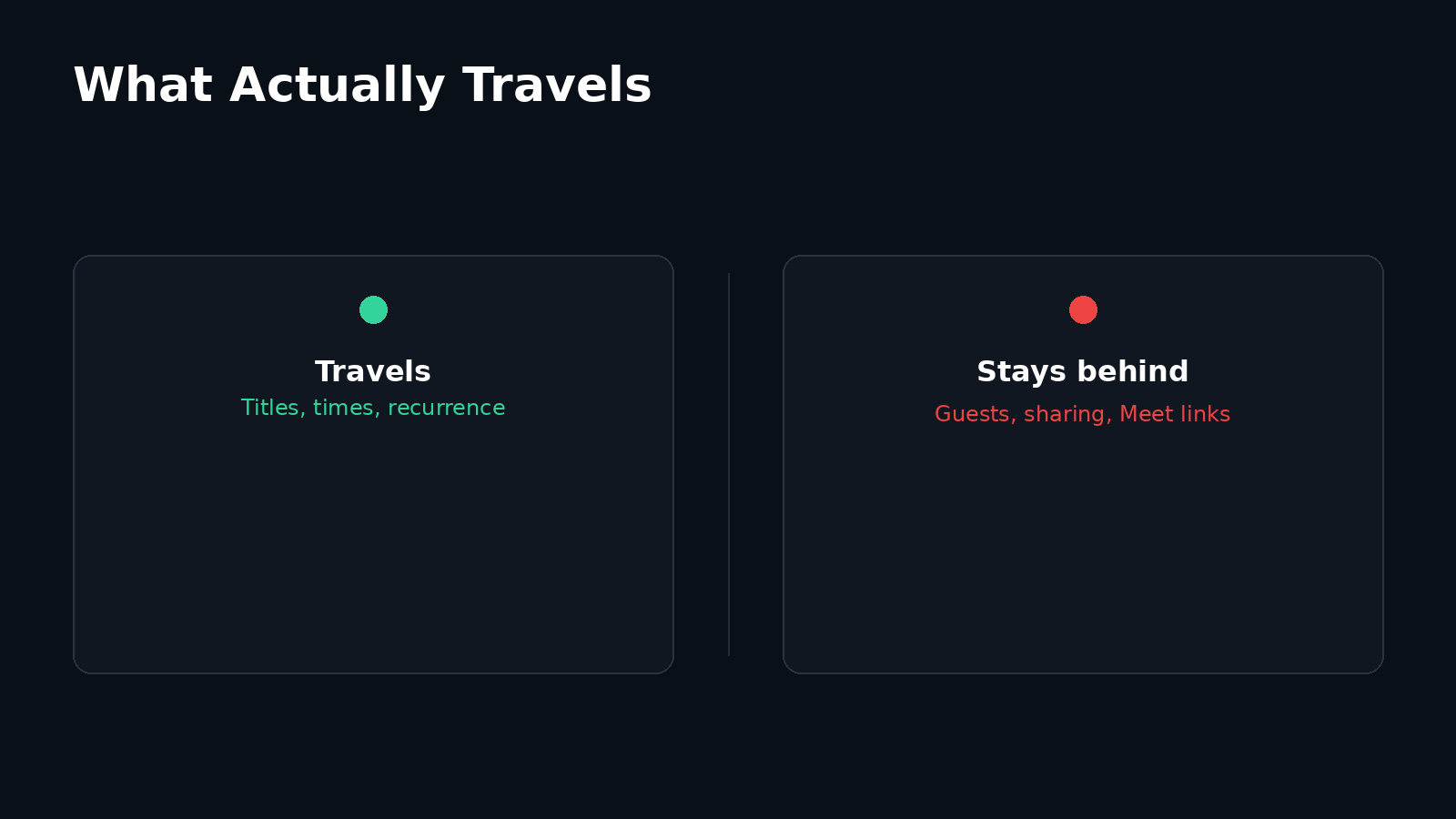
- Guest state and attendee responses. Do not assume invitations, organizer authority, RSVP status, or future response updates will continue in SilentSuite.
- Google Meet and conference behavior. A URL might be present in exported text, but automatic Meet creation and Google's conference metadata are not migration guarantees.
- Sharing and permissions. Calendar members, access levels, public visibility, and organization policies are account-side settings, not a permission model that this ICS import recreates.
- Google-only event types. Do not assume appointment schedules, focus time, working location, out-of-office behavior, or other Google-specific features become equivalent SilentSuite events.
- Reminders and notifications. The importer can read common ICS alarm data, but this guide does not promise reminder fidelity across Google export, import, browser permission, and device notification settings. Recreate critical reminders and test them.
- Attachments and linked services. A reference may remain as text without moving the linked file, its permissions, or the service behind it.
These limits are part of the privacy trade-off. SilentSuite does not reproduce Gmail event extraction, Assistant actions, automatic Meet links, or the rest of Google's account graph. SilentSuite's SilentSuite and Google Calendar comparison explains the difference in trust model and convenience features. If you are still deciding which provider to move to, the guide to who can read your calendar compares what each service can see.
How do you verify a calendar migration before cutover?
Compare source and destination while Google Calendar is still available. A single total count is useful but insufficient. Calendar files can represent series as a master event plus rules, so visible occurrence counts may not correspond neatly to raw event records.
- Calendar boundary: confirm that events from each Google calendar landed only in the intended SilentSuite calendar.
- Past and future: inspect several recent events, several events in the next month, and events far in the future.
- Time and timezone: compare start time, end time, all-day status, and events around daylight-saving changes or travel.
- Content: compare title, description, location, and any information you depend on inside notes.
- Recurrence: inspect ordinary occurrences, exclusions, moved instances, and the end of finite series.
- Operational behavior: recreate critical reminders and test a notification on every device where you need one.
- Sync: allow SilentSuite to sync, then check the same sample events on a second signed-in device before cutover.
Keep Google Calendar unchanged during this check. Avoid editing the same schedule in both systems. Once the samples pass, choose a clear cutover time, make SilentSuite the place for new events, and retain the untouched ZIP and ICS files as rollback material. Do not delete the Google calendars merely to prove the migration is complete.
The second-device check is worth doing on a phone as well as a browser, because that is where a missing reminder or a shifted all-day event is most likely to bite. See how private calendar sync works on Android for what the phone receives and which local apps can read it.
What is a safe rollback plan for calendar migration?
Import into new, separate SilentSuite calendars so a failed attempt is isolated. The Import Data page can clear imported events or delete an extra calendar, but those actions sync to your devices and cannot be undone. Check the calendar name and event count carefully before using either control.
If verification fails, leave the Google source intact, preserve the export files, remove only the known test destination if needed, and investigate the smallest failing sample. Re-exporting immediately can erase useful evidence about whether the problem came from the original export, a later edit, or the import itself.
FAQ
Can I import a Google Calendar ZIP directly into SilentSuite?
No. Keep the ZIP as the untouched backup, extract a working copy, and import the individual ICS files under Calendar Events.
Should I delete Google Calendar after importing?
Not during migration. Keep the source available until calendar-by-calendar checks, recurring-event samples, critical reminders, and second-device sync have passed. Retain the original export even after cutover.
Will Google Calendar guests keep receiving updates?
No. ICS import does not establish the same organizer, attendee, RSVP, or update relationship. Keep invitation-dependent meetings in Google, or recreate them in a scheduling system that supports guest invitations.
Will recurring events and exceptions be imported?
The current importer preserves ICS RRULE data and tested EXDATE exclusions. Individually edited instances and complex series still require sample-by-sample verification.
Does SilentSuite encrypt imported calendar events?
Yes. SilentSuite encrypts event content on the client before sync through Etebase. The server still sees limited structural sync metadata, such as item existence and revision activity, but not readable event content.
What file format does Google Calendar export?
A ZIP archive containing one ICS file per exported calendar. The export runs in a desktop browser rather than the Google Calendar mobile app. Keep the ZIP as the untouched backup and import the extracted ICS files one at a time.
Can I run Google Calendar and SilentSuite at the same time?
Only as a temporary safety net during verification. ICS import is a one-time copy, not an ongoing two-way sync, so avoid editing the same schedule in both systems. Pick one place for new events at cutover and keep the Google export as rollback material.
A careful migration is slower than a blind bulk import, but it leaves you with evidence that your schedule works before you rely on it. When you are ready to test with one calendar, start with SilentSuite and keep your original export beside you.
Interested in private sync?
SilentSuite is available now as a public beta. Sign up and start syncing your calendar, contacts, and tasks with end-to-end encryption.
Get started for free