 Tim Ross
Google Calendar costs nothing, and the reason it costs nothing is that Google can read it. Travel-time estimates, smart suggestions, and flight details lifted out of Gmail all need a server that sees your events as text. This post compares that design with SilentSuite, which encrypts events on your device first and therefore cannot offer any of those features.
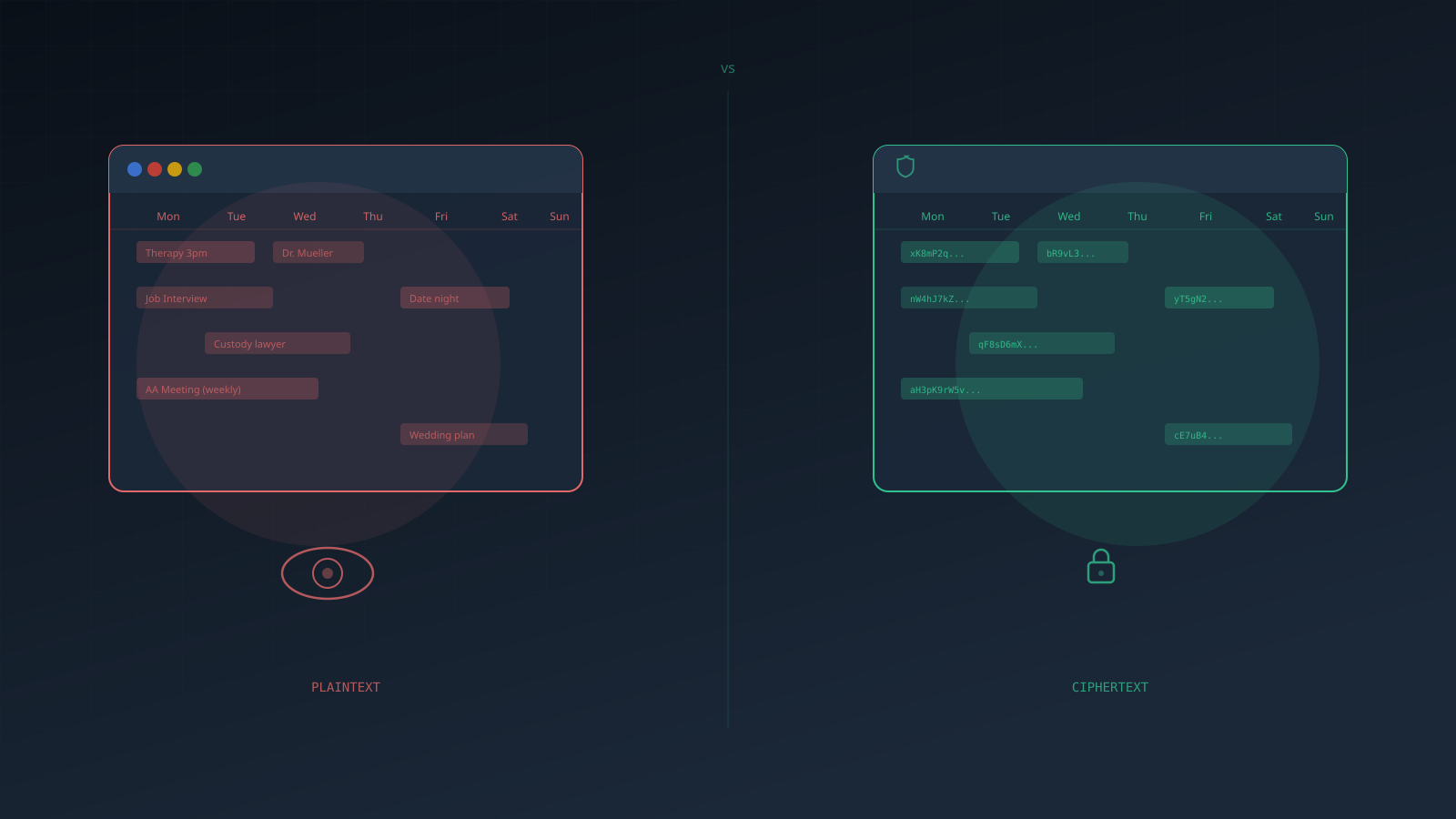
Start with the everyday case. You open Google Calendar and create a new event. “Therapy session, Thursday 3pm.” You add the address. Maybe a note to yourself. You hit save and move on with your day.
What just happened? That event was sent to Google's servers in plaintext. There it sits alongside every other event you've created. Your job interviews. Your doctor visits. Your custody lawyer meetings. The recurring Saturday slot that says “AA meeting.”
Google Calendar is not end-to-end encrypted. Google holds the keys, and processing events in plaintext is a requirement of the feature set rather than an oversight. SilentSuite encrypts each event on your device with XChaCha20-Poly1305 before it is uploaded, so its server holds only ciphertext and a breach or a legal order returns unreadable bytes. Hosted plans start from €3/mo billed annually, or you can self-host the server under AGPL-3.0.
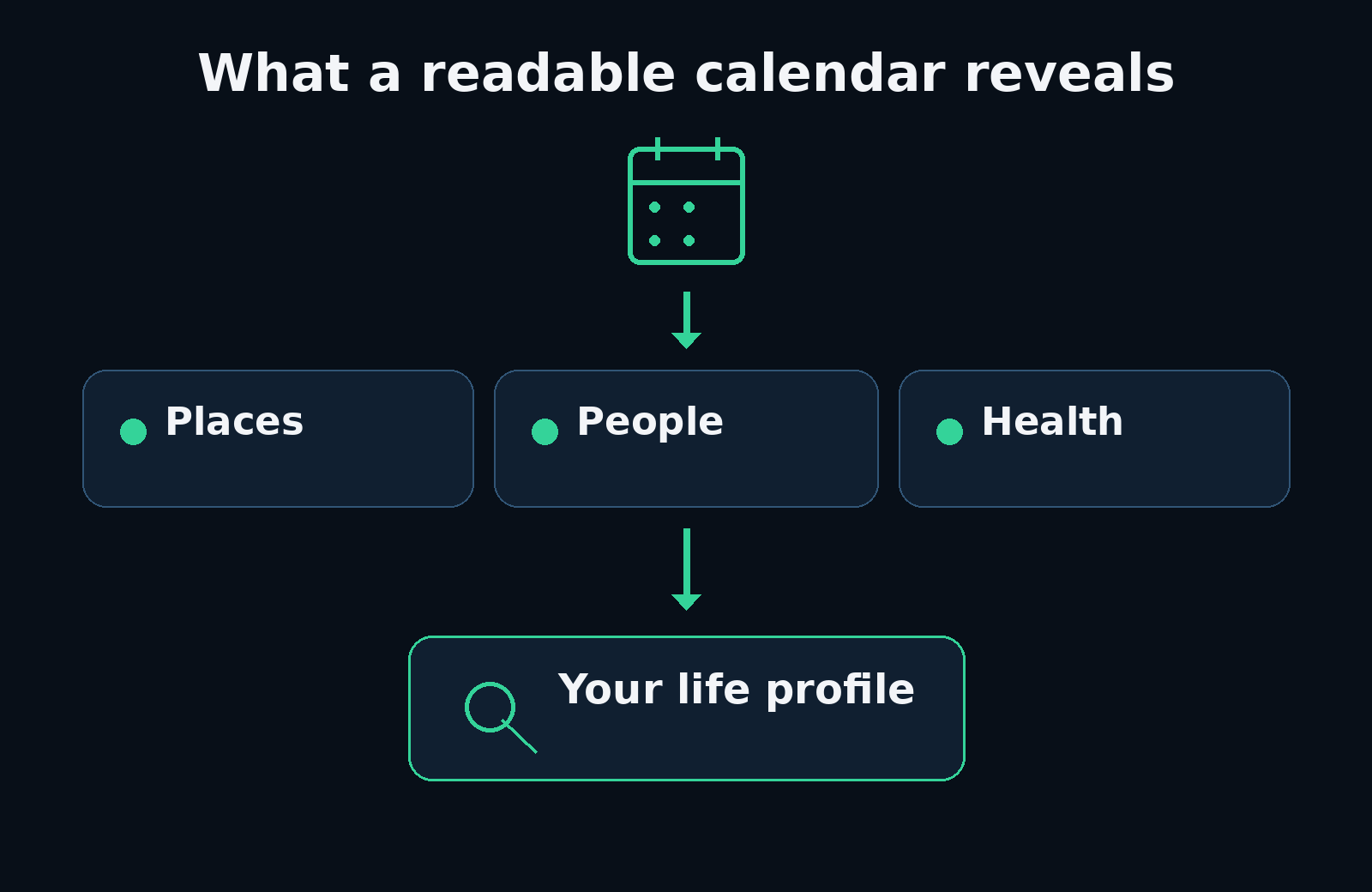
What does Google actually see in your calendar?
Google Calendar processes your events in plaintext. It has to, because that's how features like smart suggestions, travel time estimates, and automatic event detection from Gmail work. Google needs to read your data to do these things.
Event titles and descriptions. Locations. Attendees. Recurring patterns. When you're busy, when you're free, how your schedule shifts over months. All of it readable, all of it building a picture.
None of this is a secret. It's how the product works. The question is whether you're comfortable with the trade-off. Google is not unusual here: I put the same question to Apple, Microsoft, Proton, Tuta, and Nextcloud in who can read your calendar.
What does “encrypted at rest” actually mean?
Google will tell you your calendar data is encrypted. And it is. Sort of.
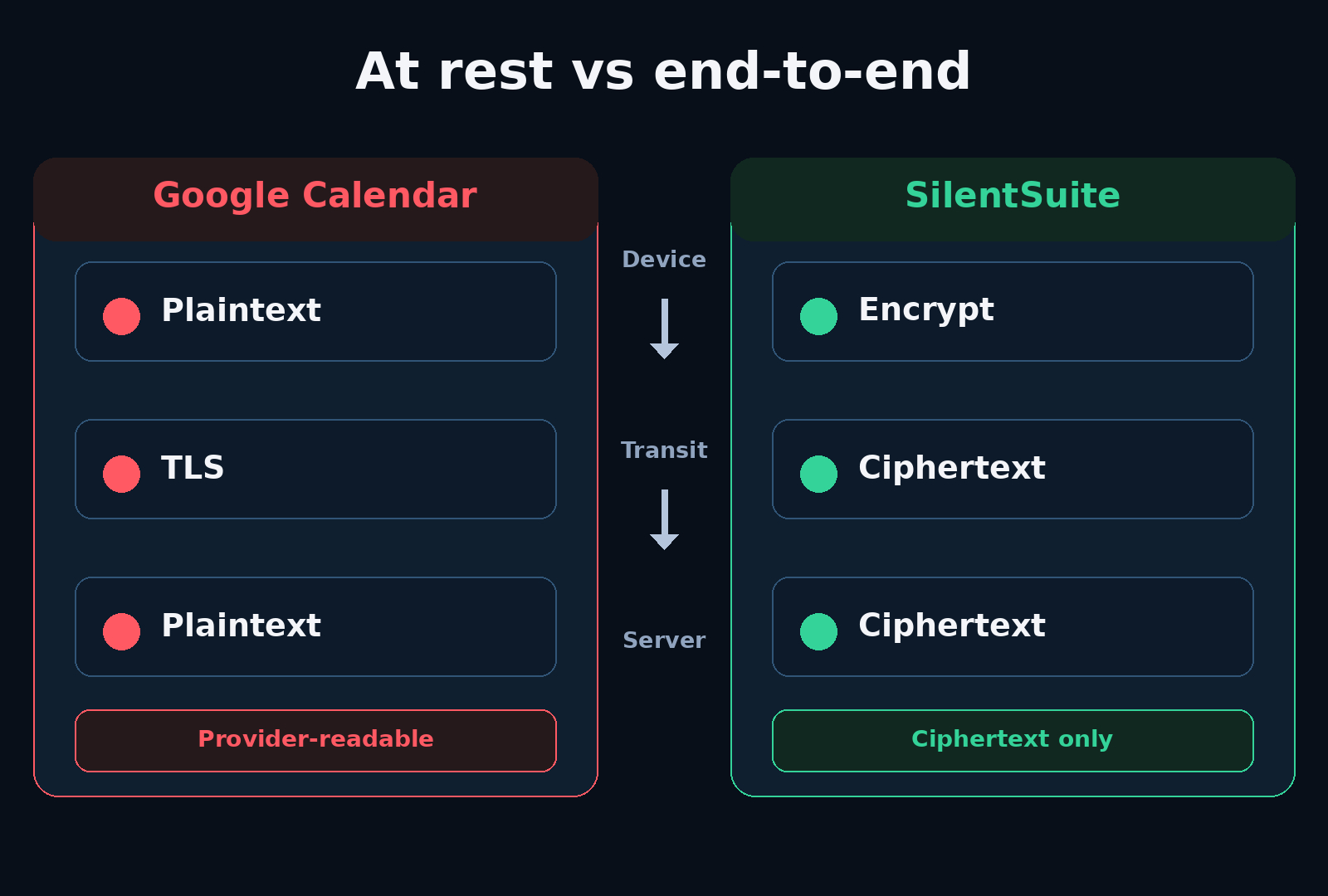
They use TLS to protect data in transit and encrypt data at rest on their disks. This protects against someone physically stealing a hard drive from a Google data centre. It does not protect your data from Google.
“Encrypted at rest” with the provider holding the keys is like a hotel safe where the front desk keeps a master key. It stops the cleaning staff, not the hotel.
Google holds the encryption keys. Their systems decrypt your data whenever they need to. Every travel time notification, every suggested event, that's Google reading your plaintext calendar data.
What does SilentSuite do differently?
SilentSuite encrypts your calendar data on your device before it reaches the SilentSuite server. SilentSuite uses XChaCha20-Poly1305 authenticated encryption through the Etebase protocol. Your encryption keys are derived from your password on your device. They never leave it. Which fields that covers, and which structural metadata the server still handles, is set out field by field in What SilentSuite actually encrypts.
| Question | Google Calendar | SilentSuite |
|---|---|---|
| Who holds content keys? | The user's devices | |
| Can the sync server process event content? | Yes | No, it stores encrypted content |
| Automatic Gmail and Meet features? | Yes | No |
| Hosted price | Included with a Google account | From €3/mo billed annually during public beta |
| Self-hostable? | No | Yes, under AGPL-3.0 |
The SilentSuite server stores ciphertext. Encrypted blobs that I cannot decrypt. Even if SilentSuite's servers were breached, or if SilentSuite received a legal order to hand over your data, the result would be meaningless encrypted bytes. That is a claim about the server, not about every risk you face, so it is worth reading alongside SilentSuite's threat model, which covers what encryption does not protect.
What do you give up by leaving Google Calendar?
Switching to SilentSuite means losing some of Google's convenience features. Travel time estimates require knowing your location. Automatic event creation requires reading your emails. None of that is possible with zero-knowledge encryption.
You also lose the Google ecosystem integration. No automatic Meet links, no pulling events from Gmail, no Assistant voice commands. This is a real trade-off. For some people, those features are worth more than the privacy cost. SilentSuite is for the people who've made the opposite calculation.
Who should switch to an encrypted calendar?
If you already use Signal for messaging, Proton for email, and Bitwarden for passwords, you already understand this trade-off. SilentSuite fills the gap those tools leave open: your calendar, the thing that ties all of it together into a pattern of who you are, still sits on Google's servers in readable form.
It's also for professionals who handle sensitive scheduling: lawyers, therapists, journalists, activists. And for organisations that need GDPR-compliant sync without trusting a US cloud provider with unencrypted data.
FAQ
Is Google Calendar end-to-end encrypted?
No. Google Calendar uses TLS in transit and encryption at rest on Google's disks, but Google holds the keys and reads event content to power its features.
What can Google see in my calendar?
Event titles and descriptions, locations, attendees, recurring patterns, and when you are busy or free. Workspace administrators can see employee calendars, and lawful requests return readable data.
Does “encrypted at rest” stop Google reading my events?
No. Encryption at rest protects against someone walking out of a data centre with a disk. Google holds the keys and decrypts whenever its systems need to.
What do you lose by switching to SilentSuite?
The server-side features. No travel-time estimates, no automatic events parsed from Gmail, no Meet links, no Assistant commands. A zero-knowledge server cannot process what it cannot read.
How much does SilentSuite cost next to Google Calendar?
Google Calendar comes with a Google account. SilentSuite is “From €3/mo” billed annually during public beta, or free to self-host under AGPL-3.0.
SilentSuite is not the only encrypted option, and it is worth comparing before you move. I put Proton, Tuta, EteSync, Nextcloud, and SilentSuite side by side in encrypted calendar sync in 2026.
Your schedule deserves the same protection as your messages. Not more, not less. If that sounds right, get started with SilentSuite. No tracking.
Interested in private sync?
SilentSuite is available now as a public beta. Sign up and start syncing your calendar, contacts, and tasks with end-to-end encryption.
Get started for free