 Tim Ross
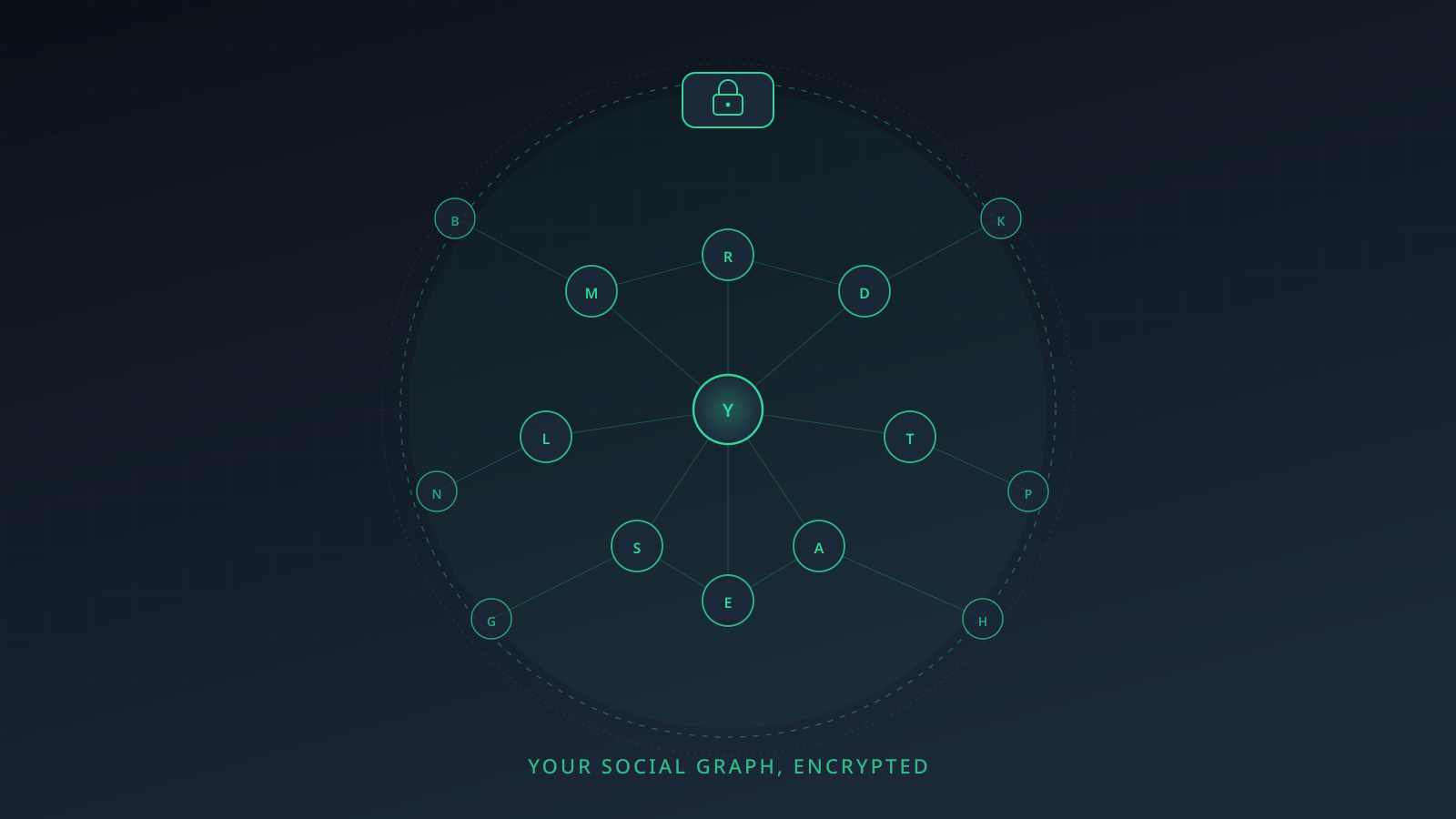
Your address book knows who your doctor is, who you call at 2am, which lawyer's number you kept, and how you labelled your ex. It is a social graph you assembled by hand, one entry at a time, and it names people who never chose your provider. SilentSuite encrypts contacts on your device before they reach its server, on the same Etebase protocol as its calendar and tasks, so names, numbers, addresses, and birthdays leave your phone already unreadable. Hosted from €3/mo, AGPL-3.0 self-hostable, CardDAV available through the standalone bridge.
Most people don't think of their contacts list as sensitive data. It's “just names and phone numbers.” That framing is a mistake I want to spend the next few minutes unpicking, alongside an honest look at what the major contacts services actually do with your data.
Apple's own security guide excludes iCloud Contacts from end-to-end encryption even with Advanced Data Protection on. Google Contacts and Nextcloud also hold your address book in a form the server can read. Proton encrypts phone numbers, addresses, organisation, birthday, and notes with zero-access encryption, but states that display names and email addresses are readable to Proton. Only Tuta, EteSync, and SilentSuite keep the server out of the whole address book, and of those three only EteSync and SilentSuite speak CardDAV, through a bridge that decrypts on your own machine.
Why is your contacts list a graph of your life?
Your address book is the most concentrated piece of social intelligence you carry around. It's not just names. For each person it usually has: phone numbers, email addresses, home address, sometimes a photo, sometimes a birthday, often the company they work for, often a relationship label (“Mom,” “Therapist,” “Lawyer”), and a date when you first added them.
Aggregate that across a few hundred entries and you have a portrait of someone's life that's harder to assemble from any other single dataset. Who they trust enough to label as family. Who their doctor is. Whether they have a divorce lawyer. The clinics they visit. The names of every ex-colleague they didn't cut ties with. The phone number patterns of every country they've lived in.
This is why contact-list access is the most-requested permission in every advertising SDK. It's why nation-state intelligence agencies have prioritized phone-book metadata for two decades. It is, functionally, a map of who you are.
And almost nobody encrypts it. The same holds one category over, where who can read your calendar turns out to be the provider at most of the same services.


Google Contacts
Google Contacts is the default for anyone with an Android phone or Gmail account. It is not end-to-end encrypted. Google can read every contact on your list and uses that data for service features like smart compose, automatic relationship inference, and ad targeting on the rest of Google's surface.
Google Contacts also pulls metadata about who you communicate with, when, and how often. It is one of the most data-rich services Google runs, and it sits on infrastructure designed for machine-readable processing. Google has not published a page saying “we read your contacts”; what it has published is a CardDAV endpoint that returns names, numbers, and addresses as readable fields to any client you authorise over OAuth 2.0. A server that can do that is a server that can read them.

iCloud Contacts
iCloud Contacts is not end-to-end encrypted, and Apple says so. The Apple Platform Security guide states: “Because of the need to interoperate with the global email, contacts, and calendar systems, iCloud Calendar, Contacts, and Mail aren't end-to-end encrypted.”
That exclusion holds even with Advanced Data Protection switched on. Advanced Data Protection raises the number of end-to-end encrypted iCloud categories from 14 to 23, and Mail, Contacts, and Calendar are the notable exclusions. Apple gives interoperability as the reason, which is a real constraint rather than an excuse: iCloud Contacts does answer third-party CardDAV clients, using an app-specific password, and a server that cannot read a vCard cannot serve one.

Proton Contacts
Proton splits your address book in two, and documents the split precisely. From Proton's own support page: your contacts' display names and email addresses “are encrypted at rest but are not secured using zero-access encryption. This means that we can access this information.”
Phone numbers, addresses, organisation, birthday, and notes are zero-access. Proton needs the readable fields for autocomplete, spam filtering, filters, search, and threading, which is a reasonable engineering trade-off for a company that also runs your mail.
In a post about social graphs, though, the split lands badly. Names and email addresses are the social graph. The notes you wrote about someone are private; the fact that they are in your address book at all is not.

Tuta Contacts
Tuta encrypts the whole address book, names included, and states that only you can decrypt it. That puts Tuta in the small group where the server genuinely cannot read your contacts.
Tuta contacts do reach your phone. Device contact integration shipped in February 2024, with caller ID working for saved contacts, and bidirectional Android sync followed in March 2024 (opt-in under Settings, Contacts; on iOS, contacts are copied rather than synced both ways). Anyone claiming an encrypted address book can't show a name on an incoming call has not checked Tuta.
What Tuta does not have is a protocol. The integration is app-mediated: Tuta's own app copies entries into the device contact store, and the feature request behind it mentions no CardDAV anywhere. Your address book appears in the places Tuta has built for, and nowhere else.

Nextcloud Contacts
Nextcloud is the most popular self-hosted CardDAV server. It works with every standard contacts app: macOS, iOS, Android (via DAVx5), Thunderbird, Outlook. The catch: contacts are stored in plaintext in the Nextcloud database.
If you self-host on a box only you can access, that's a perfectly defensible privacy posture. Nobody else has the keys to your house, so nobody else gets to read your address book. If you use a hosted Nextcloud provider, your contacts are sitting in plaintext on someone else's server, which is a different threat model entirely.

EteSync
EteSync was the first mainstream service offering end-to-end encrypted contacts that worked across platforms, and it still works. The Etebase protocol encrypts the entire vCard payload before it leaves your device. The server stores ciphertext only.
The project is mostly abandoned, with one exception. The Android app shipped v2.7.0 on 2026-03-09 and hosted signup is open at $2/month billed yearly. Everything else in the EteSync GitHub organisation has gone quiet: the server repository has not been committed to since July 2024, the JavaScript client not since early 2023, the iOS client not since 2022, and the etesync-dav bridge's last functional release was v0.35.1 in August 2025. I covered the shared protocol in more detail in the post on why I picked the project up as SilentSuite.

SilentSuite Contacts
SilentSuite encrypts the entire vCard, not just the “sensitive fields.” Names, numbers, addresses, photos, custom fields, the relationships you draw between people, all of it ciphertext on the SilentSuite server. SilentSuite doesn't need to read your address book to deliver the sync, so it doesn't.
Because SilentSuite shares the Etebase protocol with EteSync, contact lists migrate from EteSync to SilentSuite without rebuilding from scratch. And because SilentSuite ships a standalone CalDAV/CardDAV bridge, your encrypted contacts also appear in supported desktop clients such as Apple Contacts on macOS and Thunderbird. Tasks sit in the same encrypted account, and I ran the same comparison for them in encrypted to-do lists in 2026.
How do encrypted contacts services compare in 2026?
Here's how the major contacts services compare on encryption, openness, and integration. As always, if I've gotten something wrong, tell me.
| | | | | | | |
|---|---|---|---|---|---|---|---|
| E2EE all fields | No | No | Partial | Yes | No | Yes | Yes |
| Names readable to server | Yes | Yes | Yes | No | Yes | No | No |
| CardDAV support | Yes | Yes | No | No | Yes | Via bridge | Via bridge |
| Integration mechanism | Protocol | Protocol | None | App-mediated | Protocol | Protocol | Protocol |
| Cross-platform | Yes | Limited | Limited | Yes | Yes | Yes | Partial |
| Open source | No | No | Partial | Yes | Yes | Yes | Yes |
| Self-hostable | No | No | No | No | Yes | Yes | Yes |
| Status | Active | Active | Active | Active | Active | Mostly abandoned | Active |
| Price | Free | Bundled with iCloud | Free / from €3.99/mo | Free / about €3/mo | Self-host cost | $2/mo (annual) | From €3/mo |
“Partial” for Proton means zero-access encryption on phone numbers, addresses, organisation, birthday, and notes, but not on display names and email addresses, which Proton states it can access. iCloud reads “No” because Apple's security guide excludes Contacts from end-to-end encryption even under Advanced Data Protection. iCloud and Google CardDAV both work with third-party clients, iCloud with an app-specific password and Google over OAuth 2.0.
Prices as of 2026-08-15: Proton Mail Plus at €3.99/mo on annual billing (list price, from proton.me); EteSync Personal at $2/month billed yearly; SilentSuite from €3/mo on the Early Adopter tier billed annually. The Tuta figure comes from Tuta's own 2023 pricing announcement and I could not re-verify it on a live vendor page, so treat it as approximate.
Does your address book reach your phone by protocol or by app?
This is the axis most comparisons skip, and it decides portability more than the encryption row does. There are three answers in the table above.
- Protocol. Google, iCloud, Nextcloud, EteSync, and SilentSuite all deliver contacts over CardDAV, whether directly (Google, iCloud, Nextcloud) or through a local bridge that decrypts on your machine (EteSync, SilentSuite). Any CardDAV-capable client on any platform can read the same address book, and swapping clients costs you an account setup.
- App-mediated. Tuta's own app copies contacts into the device address book. It works, including caller ID, and it is genuinely useful. It also means the vendor's app is the only thing that can produce that copy, so your address book appears where Tuta has built support and nowhere else.
- None. Proton Contacts is app-contained. There is no CardDAV and no system address-book account, so your contacts live in Proton's apps and web client. Export to vCard works, which keeps it a garden with a door rather than a trap.
Encryption decides who can read your contacts. Mechanism decides where you can read them, and what leaving costs. Only Tuta, EteSync, and SilentSuite keep the server out of your address book entirely, and of those three, only EteSync and SilentSuite speak a protocol.
* SilentSuite contacts sync over Etebase natively. The Android app integrates with Android's system contacts provider. Supported desktop clients such as Apple Contacts on macOS and Thunderbird use the standalone CardDAV bridge.
Why is CardDAV hard to encrypt end-to-end?
CardDAV was designed in the early 2000s by Apple and the IETF as a standard way to read and write vCards over HTTP. It assumes the server can parse, search, and merge contact entries. To do those things, the server needs the data in plaintext. End-to-end encryption is fundamentally incompatible with that design, which is why Nextcloud (and every other vanilla CardDAV server) stores contacts unencrypted.
The way around this is to do the sync at a different layer. The Etebase protocol that SilentSuite and EteSync use treats each collection as opaque encrypted blobs. The server doesn't parse vCards. It just stores and serves ciphertext. CardDAV compatibility is provided by a local bridge running on the client, which decrypts the blobs and exposes a CardDAV endpoint that standard contacts apps can talk to.
It's a more complex architecture, but it's the only one that gives you both real E2EE and compatibility with supported desktop contacts apps such as Apple Contacts on macOS and Thunderbird.
How do I migrate from Google Contacts?
- Export from Google. Go to contacts.google.com, select the contacts you want to take, and export as vCard (
.vcf). - Sign up for SilentSuite at app.silentsuite.io/signup.
- Import the .vcf file from the SilentSuite web client. The file is decrypted client-side and re-encrypted under your SilentSuite key before the server sees it.
- Connect supported devices. On Android, install the SilentSuite app. On macOS, install the standalone bridge for Apple Contacts; use the same bridge for Thunderbird.
- Remove Google Contacts as the source of truth on your phone (Android: Settings → Accounts → Google → uncheck Contacts sync).
FAQ
Is Google Contacts end-to-end encrypted?
No. Google holds the keys and processes contacts in plaintext.
Is iCloud Contacts end-to-end encrypted?
No. Apple's security guide states that iCloud Calendar, Contacts, and Mail aren't end-to-end encrypted, and that holds even with Advanced Data Protection enabled.
Is Proton Contacts end-to-end encrypted?
Partially. Phone numbers, addresses, organisation, birthday, and notes are zero-access. Display names and email addresses are encrypted at rest but not zero-access, and Proton states that it can access that information.
Is Tuta Contacts end-to-end encrypted?
Yes. Tuta encrypts the whole address book, names included, and device contact integration with caller ID shipped in February 2024. What Tuta does not have is CardDAV: the integration is app-mediated, so your contacts appear where Tuta has built support and nowhere else.
Which encrypted contacts services support CardDAV?
EteSync and SilentSuite, both through a local bridge that decrypts on your own machine. Proton and Tuta do not support CardDAV at all. Google, iCloud, and Nextcloud speak CardDAV directly, but none of the three is end-to-end encrypted for contacts.
Can I use SilentSuite contacts in Apple Contacts on macOS or Thunderbird?
Yes, through the standalone CardDAV bridge. The bridge decrypts locally and exposes your contacts to supported desktop apps.
Does SilentSuite support vCard import and export?
Yes. Standard .vcf files in and out, no lock-in. Useful for migrating in from Google or out to wherever you want to go next.
Your address book deserves the same level of protection as your messages. It usually doesn't get it. Sign up for SilentSuite if you want contacts your provider literally cannot read.
Interested in private sync?
SilentSuite is available now as a public beta. Sign up and start syncing your calendar, contacts, and tasks with end-to-end encryption.
Get started for free